- English
- French
- German
- Portuguese
- Spanish
- Russian
- Japanese
- Korean
- Arabic
- Greek
- German
- Turkish
- Italian
- Danish
- Romanian
- Indonesian
- Czech
- Afrikaans
- Swedish
- Polish
- Basque
- Catalan
- Esperanto
- Hindi
- Lao
- Albanian
- Amharic
- Armenian
- Azerbaijani
- Belarusian
- Bengali
- Bosnian
- Bulgarian
- Cebuano
- Chichewa
- Corsican
- Croatian
- Dutch
- Estonian
- Filipino
- Finnish
- Frisian
- Galician
- Georgian
- Gujarati
- Haitian
- Hausa
- Hawaiian
- Hebrew
- Hmong
- Hungarian
- Icelandic
- Igbo
- Javanese
- Kannada
- Kazakh
- Khmer
- Kurdish
- Kyrgyz
- Latin
- Latvian
- Lithuanian
- Luxembou..
- Macedonian
- Malagasy
- Malay
- Malayalam
- Maltese
- Maori
- Marathi
- Mongolian
- Burmese
- Nepali
- Norwegian
- Pashto
- Persian
- Punjabi
- Serbian
- Sesotho
- Sinhala
- Slovak
- Slovenian
- Somali
- Samoan
- Scots Gaelic
- Shona
- Sindhi
- Sundanese
- Swahili
- Tajik
- Tamil
- Telugu
- Thai
- Ukrainian
- Urdu
- Uzbek
- Vietnamese
- Welsh
- Xhosa
- Yiddish
- Yoruba
- Zulu
What Should You Consider Before Buying an ESP32P4 module LCD?
It can be hard to figure out which display option is best for your embedded project. When choosing an ESP32P4 module LCD, there are a number of scientific and practical issues that will have a direct effect on the success of your project. The ESP32-P4 is a big step forward in microprocessor technology. It has a dual-core RISC-V design that can run at up to 360MHz and supports the MIPI-DSI interface natively. Unlike older versions that used SPI or parallel connections, the P4's hardware acceleration lets 1024×600 screens run smoothly at 60FPS with very little CPU load. You should look at how well it works with your working environment, how much power it needs, how good the display needs to be, how reliable the supplier is, and whether there will be long-term help available. When you make the right choice, you balance performance requirements with useful things like development tools, technical documentation, and service after the sale that help you stay on budget and on plan with your project.

Understanding the ESP32P4 Module and LCD Compatibility
Architecture and Display Interface Fundamentals
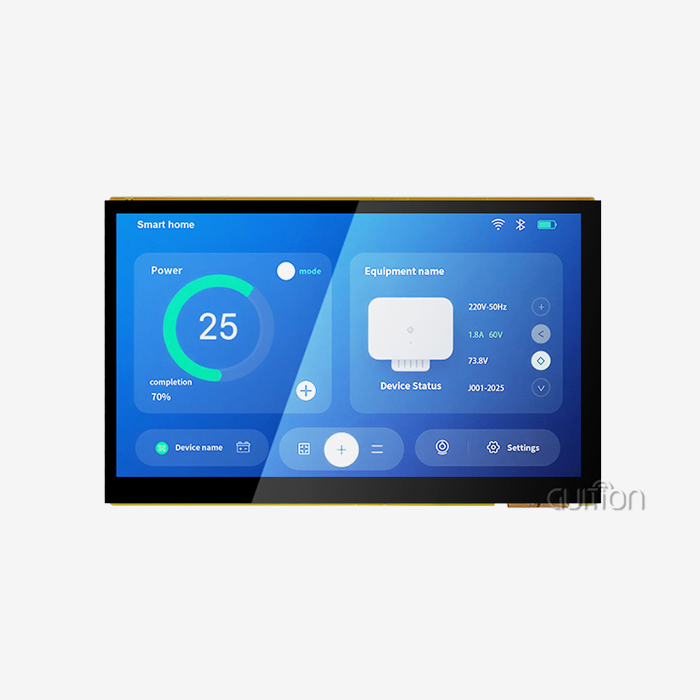
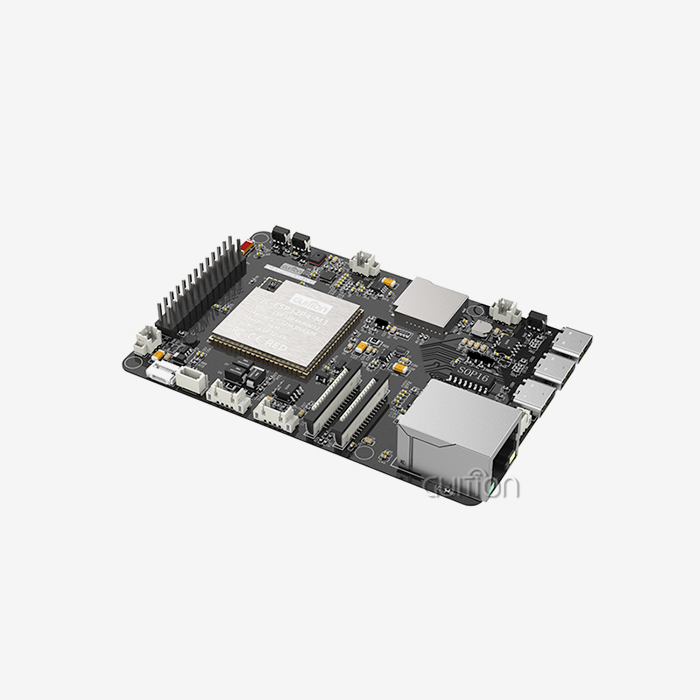
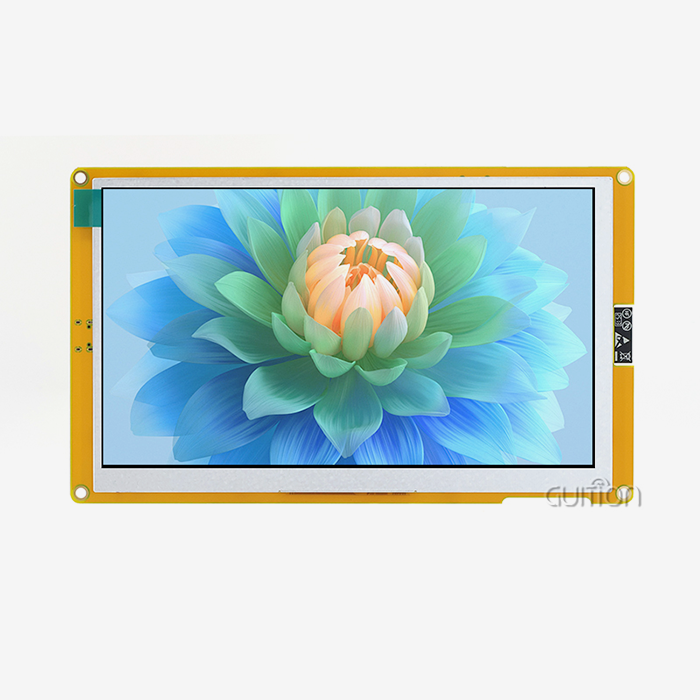
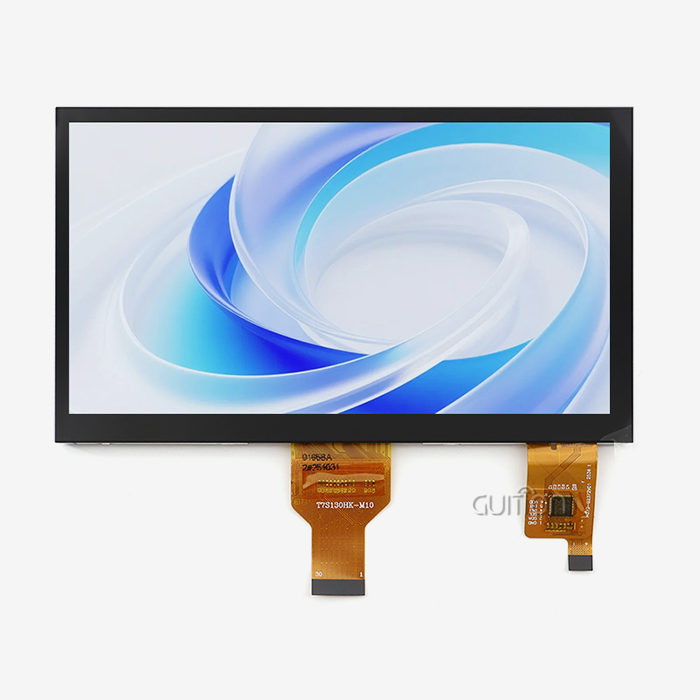
The ESP32-P4 processor lets embedded applications use displays that are as good as those used by professionals. This dual-core processor runs at 360MHz and has 32MB of PSRAM and 768KB of HP L2MEM. It gives you a lot of power for jobs that require a lot of images. With its 2D Pixel Processing Accelerator, the design has specific hardware acceleration that handles rendering tasks without putting too much stress on the CPU cores. How you can connect your displays is very important for your project. The ESP32-P4 has a built-in MIPI-DSI interface, which gets rid of the bandwidth problems that older versions had when they used SPI or 8-bit parallel links. With this improvement, you can now smoothly drive screens with better resolutions. This feature is used by the GUITION JC1060P470C_I_W, which has a 7-inch IPS screen with a resolution of 1024×600 and 16.7 million colors.
Display Technology Options and Trade-offs
Various display systems are used for various purposes. IPS LCD panels are great for factory control panels where people can see the screens from different angles because they have wide viewing angles and great color reproduction. Users expect responsive, smartphone-like contact from current products, and the capacitive touch screen gives them that. Most of the time, TFT screens are less expensive and work well indoors where lighting can be managed. OLED technology has better color ratios and viewing angles, but it usually costs more. Which technology works best depends on the area it will be used in. For example, outdoor setups need higher brightness levels, while medical devices may put color accuracy first for diagnostic reasons.
Software Libraries and Development Support
Software compatibility has a direct effect on how long it takes to grow. LVGL (Light and Versatile Graphics Library) is the standard for developing embedded GUIs, and the ESP32-P4 environment uses it. When you use Espressif's improved PPA driver backends, you can speed up rendering processes with hardware. With this combination, animations and transitions will work smoothly without having to write any special low-level code. The GUITION development program makes making UIs easier by letting you drag and drop elements. You can move settings around graphically and see how your interface will look on the hardware you're aiming for. Cross-platform online debugging lets you find problems quickly, which makes standard embedded development processes less frustrating. With support for Arduino IDE, ESP-IDF, and MicroPython, you can work in the setting you prefer without having to learn a whole new set of tools.
Key Technical Criteria Before Selecting an ESP32P4 LCD Module
Interface Specifications and Pinout Compatibility
The choice of interface affects both speed and the difficulty of creation. MIPI-DSI interfaces have more speed than SPI interfaces, which lets you use higher resolutions without lowering the picture rate. The GUITION module has well-documented IO port interfaces and a TF card slot for expanding storage, which is necessary if your app needs to load media files or keep track of practical data. When purchasing, it's important to pay close attention to pinout compatibility. Make sure that the module you choose meets the needs of your PCB design, or be ready to design adapter circuits. The JC1060P470C_I_W has easy-to-use interfaces that work well with a variety of system designs, which cuts down on the time needed to make unique hardware.
Power Consumption and Efficiency Considerations
Different monitor units have very different power needs. Devices that use batteries need to be very careful about how much power they use. The ESP32-P4 design has power-saving modes that lower power use when the chip is not being used. The display backlight usually uses the most power. An adjustable brightness setting lets you find a good mix between battery life and sight. Check the MCU, display screen, touch controller, and wireless devices of the ESP32P4 module LCD as a whole to see how much power they use. The JC1060P470C_I_W has built-in charge management hardware that makes it easier to build portable devices. Knowing the standby current, active display power, and high consumption during wireless transfer can help you avoid problems with battery life that come up out of the blue when you're out in the field.
Resolution, Refresh Rate, and Performance Alignment
The size of your screen should meet the needs of your program without going over them. When the resolution goes up, frame files need more memory and UI changes need more processing power. The 1024×600 resolution of GUITION's 7-inch module is just right for industrial HMI use; it gives enough information for complicated interfaces without taxing the processor too much. Refresh rates change how fast something seems. Even when UI parts are moved, the ESP32-P4's hardware acceleration keeps the frame rate at 60FPS. This feature is important for creating current user interfaces with sliding menus, progress bars, or real-time data displays that users expect to act right away.
Environmental Durability and Operational Range
For industrial uses, hardware needs to be strong and able to handle rough circumstances. Where you can put equipment depends on its operational temperature range. For example, plant floors get very hot, and parts made for consumers can't handle that. The GUITION module is made according to standards for industrial manufacturing, which makes it reliable in harsh conditions. Long-term upkeep costs are affected by how long a touchscreen lasts. Resistive touch interfaces wear out faster than capacitive ones, but capacitive touch interfaces stay functional after millions of touches. When choosing display units for field installs, think about whether you will need to wear gloves, be near liquids, or be able to damage them by impact.
Comparing ESP32P4 LCD Options: Making an Informed Decision
Performance Advantages Over ESP32-S3
When it comes to display applications, the ESP32-P4 is a big step up from the ESP32-S3. The S3 can handle a resolution of 480x480 pretty well through SPI or parallel connections, but it has trouble with bigger screens because its speed is limited. The P4 has built-in support for MIPI-DSI and a 2D hardware processor that lets it handle images up to 1024×600 at 60FPS with much less CPU usage. When your app changes the display and does other real-time jobs at the same time, this design difference becomes very important. The P4 has dedicated hardware for creating the user interface. This frees up CPU cores for things like control algorithms, connection protocols, or sensor processing. H.264 hardware encoding support is helpful for projects that need to play videos. This lets you add video doorbells or educational media to your interface.
Customization and Secondary Development Flexibility
How well you can change parts to meet specific needs depends on how flexible your development is. The GUITION platform has full secondary development tools and detailed technical documents. You can change how something works without having to learn complicated low-level code. Built-in rich tools speed up development. You can add the UI elements you need with just one click and then use drag-and-drop to change their position, size, and style. With this WYSIWYG method, you don't have to guess how the end version will look. Multiple programming modes (Arduino, ESP-IDF, and Guition) can be used, so different tech teams can use the ones they like without having to change how they work.
Wireless Connectivity and Remote Management
Modern display modules are different from simple LCD controls because they have WiFi and Bluetooth built in. These wireless features are built into the ESP32-P4 module LCD, so you don't need any extra hardware to connect to a network. This integration is important for IoT apps that need to sync data with the cloud, watch devices from afar, or change firmware over-the-air. The option to upgrade remotely for the ESP32P4 module LCD cuts down on after-sales care costs by a large amount. You can fix bugs or add new features to fielded equipment without having a worker visit the spot. Support for multiple languages and UTF-8 encoding meets the needs of global operation, letting the interface be localized for different markets without having to change the hardware.
Procurement Considerations for ESP32P4 LCD Modules in B2B Context
Supplier Selection and Verification
Picking dependable sources will help you stick to your project's schedule and budget. Guition is a technology-driven company that focuses on HMI display solutions. They have products ranging from 1.28" to 21.5" and offer full expert help for all of them. Before placing a big order, make sure that the sellers you're considering give you real datasheets, certifications, and product specs that can be checked. Authorized Espressif providers make sure that legitimate parts are used instead of fake ones that fail projects. Before buying in bulk, ask for free units to try and evaluate. Check to see how quickly the seller responds to technical questions. Partners who give detailed answers and application advice are useful throughout the development process.
Pricing Structures and Volume Considerations
Understanding tiered pricing models that reward bigger order amounts is important for business-to-business buying. Buying a lot of ESP32-P4 module LCD units usually gets you better prices, which increases the project's profit margins. Instead of taking standard terms that might not work for you, talk about payment terms and delivery times that work with your production plans. Find the total cost of ownership, which is different from the buying price. Think about how much the development tools cost, how easy it is to get expert help, and how much it might cost to rethink if the modules you choose don't work. When compared to systems that need expensive third-party tools, the GUITION option includes its own development software at no extra cost. This lowers the overall cost of the project.
Supply Chain Risk Management
Production plans are affected by the supply of parts. Supply lines for semiconductors are sometimes interrupted, which slows down projects that depend on parts from a single source. Talk to your sellers honestly about wait times. The JC1060P470C_I_W is usually pretty easy to find, but you can avoid surprises by checking stock levels before making orders. When possible, look for second-source choices for important parts. Keep a backup stock for production runs in case there are delays that were not expected. When compared to wholesalers who depend on third-party makers, building relationships with reliable providers like Guition, who both make and store goods, makes supply more stable.
After-Sales Support and Warranty Terms
Total owning costs go down when there is full help after the sale. Check to see what kind of technical support a seller gives after the sale. For example, Guition offers continued technical support, firmware changes, and troubleshooting help that keeps projects moving forward. The quality of the documentation is very important; detailed guides and sample code speed up integration compared to little material that needs to be reverse-engineered. Warranty coverage shields against broken units and problems with the way they were made. Find out how to return items, when to expect replacements, and how sellers handle problems in the field. Partners who offer responsive help keep your production schedules on track when problems happen instead of allowing you to figure out what's wrong on your own.
Troubleshooting and Optimizing Your ESP32P4 LCD Setup
Common Integration Challenges and Solutions
Integration problems can happen with even well-designed esp32p4 display module parts. A lot of startup problems are caused by bad wiring. Before assuming hardware flaws, double-check the power source connections and signal line routing against the documentation. When you mix library versions, driver conflicts can happen. To avoid these problems, make sure that all development teams use the same software settings. When the power source isn't stable, the display flickers or restarts itself randomly. Make sure the current capacity is enough and that the right decoupling capacitors are placed near the power pins. For the ESP32-P4 module LCD to work reliably, it needs stable voltage rails. Plan for enough power buffers to handle peak usage during wireless transfer and backlight operation.
Performance Optimization Techniques
Increasing the refresh rate of a monitor makes it seem faster. You can use LVGL's built-in measurement tools to find places in your UI code where rendering is taking too long. Even though the ESP32-P4's hardware acceleration speeds up most processes, slowdowns are still caused by application code that isn't optimized. Reduce the number of useless screen changes by only refreshing parts of the screen that have changed instead of the whole screen. Memory use and speed are affected by how frame buffers are managed. The JC1060P470C_I_W's 32MB PSRAM gives it plenty of room for double-buffering at 1024×600 resolution, which lets graphics run smoothly without any tears. Set up buffer methods that work with your resolution and color depth to get the best mix between memory use and image quality.
Future-Proofing Your Design
As technology changes, designers need to make choices that look ahead. The ESP32-P4 design leaves room for adding more features as needs arise. Pick modules with IO ports that aren't being used and expansion options like the TF card slot that let you add features later without having to rethink the hardware. When should you upgrade and when should you just make the tools you already have work better? The ESP32-P4 module LCD platform lets you change the code from afar, which makes products last longer by making software better. You can improve user experiences after launch by adding features that customers ask for without having to return products or swap out hardware.
Conclusion
To choose the right display module, you have to weigh the technical features against real business needs. The ESP32-P4 is a big step forward in integrated display technology. It makes microcontroller-based devices capable of professional-level graphics performance. Carefully look at how well the interface works, how much power it needs, how well it works with software tools, and how reliable the seller is. Time-to-market is sped up with the GUITION JC1060P470C_I_W, which blends powerful hardware with easy-to-use software tools. You can choose options that meet your current needs while also leaving room for future improvements by thinking about things like resolution, internet connection, and long-term support. Choosing the right suppliers and knowing the total cost of ownership are important for making sure that projects go well.
FAQ
How does ESP32-P4 compare to ESP32-S3 for GUI applications?
The ESP32-P4 has a native MIPI-DSI port and a 2D hardware accelerator, which lets it handle 1024×600 images at 60FPS with very little CPU load. The S3 uses SPI or parallel connections, which means that the resolution can only be about 480×480 for smooth UI performance.
What graphics libraries work best with these modules?
LVGL (Light and Versatile Graphics Library) works very well with ESP32-P4 hardware. Espressif offers special PPA driver backends that make hardware-accelerated rendering possible. This lets you make animations and interfaces that respond quickly and smoothly without having to do a lot of custom code.
Does the module require external PSRAM for high-resolution displays?
When the resolution is higher than 320x240, you need external PSRAM to store the frame buffers. There is 32MB PSRAM built into the GUITION JC1060P470C_I_W. This is enough memory for double-buffering at 1024×600 resolution, which makes it possible for images and UI changes to be smooth.
Can these displays handle video playback capabilities?
The ESP32-P4 has enough processing power to do both MJPEG and H.264 decoding and can encode H.264 in hardware. This feature works well for video doorbells or media players that play educational videos inside user interfaces, giving developers more options than just basic pictures.
What development environments are supported?
The module works with MicroPython, the Arduino IDE, ESP-IDF, and the Guition programming platform. This adaptability lets engineering teams work in settings they're used to without having to make changes to the tools. This cuts down on learning curves and speeds up the development process.
Connect with a Trusted ESP32P4 Module LCD Supplier
Guition specializes in providing full HMI solutions that make it easier to build integrated displays. Our JC1060P470C_I_W ESP32P4 module LCD has strong dual-core processing and easy-to-use software tools made for engineers who care about getting things done quickly. The drag-and-drop interface design and cross-platform testing features of the Guition software platform get rid of the need for complicated code. We help you with every step of the development process by providing detailed technical documentation, quick expert support, and dependable supply chain management. Our range of screens, from 1.28" to 21.5", offers uniform quality for a wide range of use cases. Talk to david@guition.com about how our ESP32-P4 module LCD options can help you finish your project faster and for less money. We have low prices for large orders, and we keep enough stock on hand to keep your production plans on track.
References
1. Espressif Systems. (2023). ESP32-P4 Technical Reference Manual: Advanced Display Interfaces and Graphics Acceleration Architecture.
2. Kirov, G. (2024). Embedded Graphics Programming with LVGL: Optimizing Performance on Modern Microcontrollers.
3. Zhang, L., & Chen, W. (2023). Industrial HMI Design Patterns: Best Practices for Embedded Display Applications in Manufacturing Environments.
4. Peterson, R. (2024). Comparative Analysis of Embedded Display Technologies: TFT, OLED, and IPS Panels for IoT Applications.
5. International Electrotechnical Commission. (2023). IEC 61000-6-2: Electromagnetic Compatibility Standards for Industrial Equipment Display Modules.
6. Anderson, M., & Liu, Y. (2024). Supply Chain Strategies for Embedded Systems Procurement: Managing Component Availability in Semiconductor Markets.
Learn about our latest products and discounts through SMS or email