- English
- French
- German
- Portuguese
- Spanish
- Russian
- Japanese
- Korean
- Arabic
- Greek
- German
- Turkish
- Italian
- Danish
- Romanian
- Indonesian
- Czech
- Afrikaans
- Swedish
- Polish
- Basque
- Catalan
- Esperanto
- Hindi
- Lao
- Albanian
- Amharic
- Armenian
- Azerbaijani
- Belarusian
- Bengali
- Bosnian
- Bulgarian
- Cebuano
- Chichewa
- Corsican
- Croatian
- Dutch
- Estonian
- Filipino
- Finnish
- Frisian
- Galician
- Georgian
- Gujarati
- Haitian
- Hausa
- Hawaiian
- Hebrew
- Hmong
- Hungarian
- Icelandic
- Igbo
- Javanese
- Kannada
- Kazakh
- Khmer
- Kurdish
- Kyrgyz
- Latin
- Latvian
- Lithuanian
- Luxembou..
- Macedonian
- Malagasy
- Malay
- Malayalam
- Maltese
- Maori
- Marathi
- Mongolian
- Burmese
- Nepali
- Norwegian
- Pashto
- Persian
- Punjabi
- Serbian
- Sesotho
- Sinhala
- Slovak
- Slovenian
- Somali
- Samoan
- Scots Gaelic
- Shona
- Sindhi
- Sundanese
- Swahili
- Tajik
- Tamil
- Telugu
- Thai
- Ukrainian
- Urdu
- Uzbek
- Vietnamese
- Welsh
- Xhosa
- Yiddish
- Yoruba
- Zulu
GUITION Touch Screens for Energy Storage
A 1.28 inch ESP32C3 display module provides a tiny touch-enabled window on a battery system displaying voltage, current, temperature, and charge level. GUITION Touch Screens have a display, Wi-Fi, Bluetooth, and a visual design tool enabling your team to create the interface without writing any layout code. This tutorial discusses what needs to be shown on an energy storage display, how the GUITION ESP32-2424S012C_I_Y(W) fits into tiny monitoring devices, and how to integrate it securely. You’ll also get market data, connection possibilities, and a realistic way from prototype to production.

Guition designs and manufactures the ESP32-2424S012C_I_Y(W) and the Guition interface software. If you want a 1.28-inch ESP32C3 display module supplier who answers engineering questions directly, email david@guition.com or call the phone number. Share your battery data format and order volume. We will recommend GUITION Touch Screens for your design and send a sample quote.
How Can GUITION Touch Screens Improve Energy Storage System Monitoring?
Batteries are booming, and so is the desire to monitor what they’re up to. Global battery storage installations totaled 108 gigawatts in 2025, a 40% increase over 2024, the IEA said.
Why Do Operators Need Local Visibility?
Remote dashboards are wonderful, but a technician standing in front of a battery cabinet wants answers quickly. Is the pack loading up? Is one cell running hot? Local display responds in seconds without any laptop or network connection.
That demand increases with deployment. The IEA observed that around 80% of the 2025 additions were utility-scale and the rest behind-the-meter, that is, placed at residences and businesses. Compact systems require compact, inexpensive screens.
What Does the Display Do and Not Do?
Data is shown. It doesn't save the battery. Your BMS (battery management system) monitors cells, balances, and trips protection. The 1.28 inch ESP32C3 display module indicates the values of the BMS and shows them.
Make sure you keep that barrier obvious in your design. The monitoring end is equipped with GUITION Touch Screens. Any safety shutdown must execute in separate hardware that functions even if the display fails.
Key HMI Features for Battery Management and Real-Time Data Visualization
Fdv HMI (human-machine interface) is the screen, and touch controls zquxvkcco saz to view data and lxrsz zswwxvbe. In energy storage, a good HMI is simple, quick, and truthful.
Which Data Views Matter Most?
Operators ask four questions: how full, how quickly, how hot, and is anything wrong? At a glance, your screen answers each one.
Display condition of charge in huge numbers or a ring. Show the pack voltage and current alongside it. Change color when temperature approaches threshold. Make notifications your priority.
How Fast Should the Screen Respond?
Battery values do not vary rapidly; therefore, you do not require fast redraws. Quick alert display and swift touch reaction are required. When a defect develops, the screen slows, and faith erodes.
The ESP32-C3 is a RISC-V CPU clocked at 160 MHz with 400 KB of RAM. That's plenty for a nice 240x240 interface with a couple of live values.
What Features Should an Energy HMI Include?
These are the traits that count in practice:
- Clear status zones: Split the screen into fixed zones for charge level, power flow, temperature, and alarms. The operators learn the arrangement once, and then they read it without thinking. But the important thing is to set the display consistently, more so than to decorate it, particularly when someone is checking it in bad light or under stress when there is a defect.
- Color signals are dependent on thresholds. Green, amber, & red based on your BMS restrictions. People are warned by the temperature number becoming amber before an issue occurs. Set the thresholds in the firmware and not the display so that the display is showing the same status as your protection logic.
- Fewer layer touch navigation: Access critical info with only one touch. A tech with gloves on or with a tool in their hand won’t be scrolling through menus. Design for touch: big targets, short labels, and a clear home button on every page.
These characteristics make the display usable when it counts. An easy-to-see screen reduces training time and errors during maintenance visits.
What Should You Look for in an Energy Storage Touchscreen Display?
Not every display suits a battery cabinet. Choose by environment, readability, and input method.
Is the Screen Readable Where You Install It?
Cabinets are usually modest; outside units might be brilliant. The ESP32-2424S012C_I_Y(W) has a 240×240 IPS display. IPS panels maintain color and contrast at broad viewing angles, which is good if somebody is reading the screen from the side.
Test with an actual enclosure. A white shell and transparent glass alter glare more than most engineers think. Test readability in the worst light you anticipate.
Does the Touch Input Suit Your Users?
The 1.28 inch ESP32C3 display module features capacitive touch like a phone, so only a gentle push of a finger will get it to react. Capacitive displays have problems with thick gloves or water droplets. Test using the gloves your technicians use.
According to Mordor Intelligence, the HMI market was controlled by touchscreens at 70.4% in 2025. Users are used to touch, yet the environment still determines the optimal input.
Compact Display Solutions for Battery Status, Voltage, Current, and Temperature
Small devices need small displays. A 1.28-inch screen fits into a handheld tester, a battery pack lid, or a wall-mounted home unit.
How Do You Show Voltage and Current Clearly?
Use large digits and fixed units. Display voltage to one or two decimal places and current with a symbol to indicate charging or discharging. No scrolling text. Put the two values on a single page.
With 240×240 pixels, you have space for around four big values. Choose the ones operators check most. Transfer the remainder to a second page.
How Do You Present Temperature Safely?
Temperature patterns forecast problems. Display the highest cell or pack temperature as the top value. Add a little indication for sensor errors, so a disconnected sensor doesn't appear like a regular reading.
This is owned by your BMS. The display is a reflection of the BMS reporting. If there is no data coming in, instead of showing the latest known value, provide a clear “no data” status.
How Should You Show State of Charge?
SOC, or State of Charge, is the proportion of energy remaining. Works well: a ring or bar with a number. To users, it reads quicker than a table.
Rotate smartly. Presenting 73% is good, but presenting 73.28 % promotes false faith, since SOC estimations include inaccuracy. Display it no more accurately than the underlying estimate, but not less so.
Can a 1.28 inch ESP32C3 Display Module Support Compact Energy Monitoring Devices?
Yes, for monitoring and local control. Here is what the 1.28 inch ESP32C3 display module offers.
What Are the Core Specifications?
The GUITION Touch Screens ESP32-2424S012C_I_Y(W) uses an ESP32-C3-MINI-1U module as its main controller. This single-core MCU (microcontroller unit) runs up to 160 MHz and has 400 KB of SRAM and 384 KB of ROM. Flash size is 4 MB.
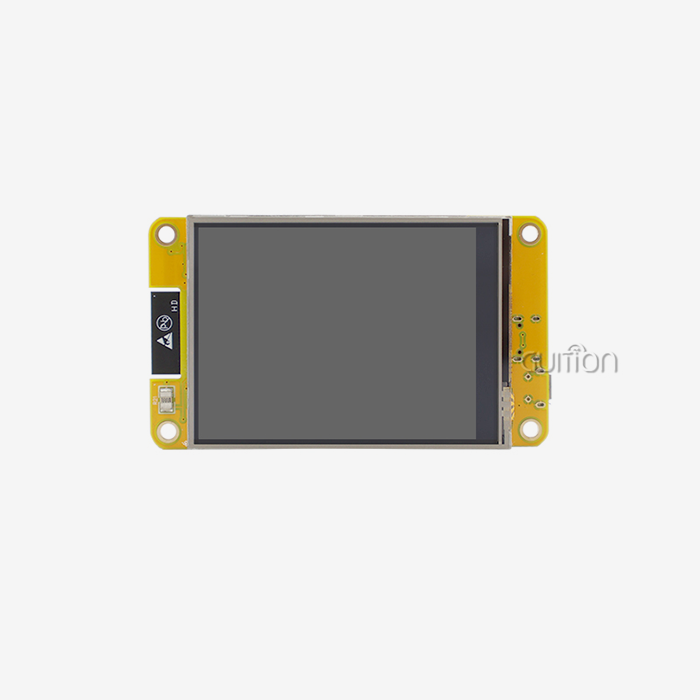
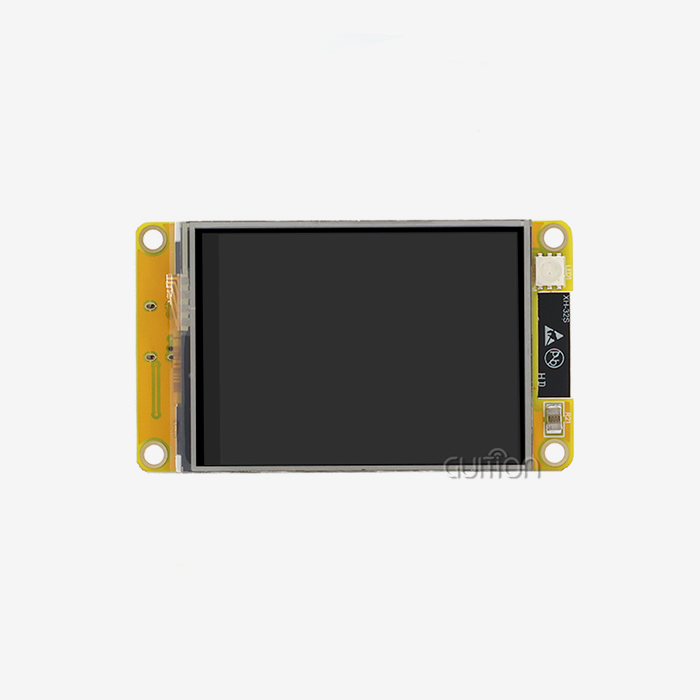
The display is a 1.28-inch, 240×240 IPS panel with capacitive touch and a white shell. The board adds a backlight control circuit and an IO port interface.
How Does the Single-Core Design Affect Your Project?
One core means one task thread at a time, with the radio stack sharing time. For a monitoring screen, that is usually fine. You read values, update gauges, and send occasional network messages.
Avoid heavy animation and large image decoding. Plan simple GUITION Touch Screens, and measure real performance on the board before you freeze your design.
Which Development Tools Work With the Module?
The 1.28 inch ESP32C3 display module supports Arduino IDE, ESP-IDF, MicroPython, and Mixly. Guition also offers its own visual software with drag-and-drop controls and WYSIWYG design, meaning the canvas matches the screen.
Guition supports cross-platform online debugging and remote upgrade of user projects. Your team picks the tool that matches its skills.
Wi-Fi and Bluetooth Connectivity for Smarter Energy Storage Interfaces
Connectivity turns a local display into part of a monitoring system. The ESP32-C3 supports 2.4 GHz Wi-Fi (802.11 b/g/n) and Bluetooth 5 (LE).
When Should You Use Wi-Fi?
Use Wi-Fi to send readings to a cloud dashboard or a home network. Operators then see history, alerts, and trends from anywhere. Wi-Fi also delivers firmware updates.
IoT Analytics counted about 21.1 billion connected IoT devices in 2025, up 14% year over year. Wi-Fi leads connection technologies, and connected energy products are part of that wave.
When Should You Use Bluetooth?
Bluetooth suits local access. A technician opens a phone app, pairs with the unit, and reads detailed data without joining a network. It also helps with first-time setup.
IoT Analytics reports that 24% of connected IoT devices use Bluetooth. For battery products, short-range pairing keeps maintenance simple.
How Do Remote Upgrades Help?
Truck rolls are expensive, and battery installations are often remote. GUITION Touch Screens support remote upgrades of user projects, so you can update interface designs or fix bugs without a site visit.
Plan upgrades carefully. Add version checks, rollback options, and signed firmware. An update must never leave a unit without a working display.
How to Choose the Right Touchscreen for a Battery Management System (BMS)
Selection comes down to fit. Match the display to your data, your users, and your volume.
What Questions Should You Answer Before Ordering?
Start with the data. How many values must appear at once? Next, check the link to your BMS. Does it use UART, I2C, or another bus? Then think about the user, the environment, and the product lifetime.
Write these answers down. They turn a vague search into a short list of candidates and make supplier conversations productive.
How Do Display Sizes Compare?
Guition’s range runs from 1.28 inches to 21.5 inches. This table shows how size relates to typical use:
| Size class | Typical use | Strength | Limit |
|---|---|---|---|
| 1.28 inch | Handheld testers, pack lids, compact meters | Small, low cost | Few values per page |
| 3 to 5 inch | Home storage units, small cabinets | More data on screen | Larger enclosure cutout |
| 7 inch and up | Commercial cabinets, control rooms | Dense dashboards | Higher cost and power |
The 1.28 inch ESP32C3 display module is a strong fit when space and cost matter more than screen area.
Integration Considerations: Power Consumption, Interface Design, and Reliability
Integration decides whether a good display becomes a good product.
How Do You Manage Power Consumption?
A battery display should not drain the battery it monitors. Dim the backlight when idle, and turn the screen off after a timeout that suits your users. Wi-Fi bursts draw the most current, so send data at sensible intervals.
Check current draw in Espressif’s datasheet, then measure on your own board. Real numbers depend on backlight level, radio use, and supply design.
How Should You Design the Interface?
Design for the worst day, not the best. Keep text large, put alerts first, and avoid decoration. Use consistent icons and units.
Guition’s software supports multi-language switching and UTF encoding, which helps when units ship to several regions. Test each language on the real screen, because longer words can overflow small displays.
What Reliability Steps Should You Take?
Treat the display as non-critical to safety. Make sure the BMS keeps protecting the battery if the screen freezes or loses power. Add a watchdog to restart the interface after a lock-up.
Test across your temperature range and under electrical noise from inverters and chargers. Ask your compliance lab which standards apply to your system, such as battery safety standards, before you finalize the design.
GUITION Touch Screens for Industrial, Residential, and Portable Energy Applications
Three scenarios show how teams use compact displays. They are typical use cases, not named client results.
Residential Storage
A home battery maker wants a small local panel beside the inverter. The screen shows charge level, power flow, and alerts. Wi-Fi sends data to the owner’s phone app, and Bluetooth handles setup.
Behind-the-meter systems are growing. The IEA recorded about 8 GW of behind-the-meter additions in China alone in 2025. Small, friendly interfaces matter in this segment.
Industrial and Commercial Cabinets
An integrator builds battery cabinets for small businesses. Each cabinet needs a status display for technicians. The 1.28 inch ESP32C3 display module shows pack voltage, temperature, and alerts on the cabinet door.
The IEA reports that lithium iron phosphate batteries made up about 90% of 2025 deployments. Those packs have well-defined voltage ranges, which makes display design straightforward.
Portable Energy Tools
A field technician carries a battery tester. The handheld shows cell voltages, temperature, and a pass or fail result. The compact screen keeps the tool light, and Bluetooth sends results to a phone for reports.
GUITION Touch Screens lists related applications such as handheld controllers, instrument panels, and environmental monitors.
From Prototyping to Production: Selecting a Display Module for Your Energy Project
A working demo is the start. Production brings supply, testing, and long-term support.
How Do You Build a Bench Prototype?
Connect one 1.28 inch ESP32C3 display module to a BMS or a battery simulator. Load a test app, then build your main page in the visual tool. Show live values within a few days.
Show it to a technician and an end user. Ask what they look at first and what confuses them. Their answers shape the final layout.
How Do You Run a Pilot?
Build 10-50 troops and deploy them into actual systems. Test for glare, touch issues, and loss of communication. Log faults and evaluate regularly.
Remote upgrading to push interface updates; GUITION Touch Screens et al. endorse it. A bench never tells you the difficulties that pilots do.
How Do You Scale to Production?
Lock down the design, verify the bulk pricing, and ask about long-term availability and written change notifications. Ask for documentation and auxiliary development interfaces before you commit
The HMI market is growing steadily. It was valued at USD 6.1 billion in 2025 and is anticipated to reach USD 12.74 billion by 2034, according to Fortune Business Insights. Suppliers who invest in assistance will make it through.
Conclusion
Energy storage is still developing, and every system requires a clear display. GUITION Touch Screens give battery devices a small interface with touch, Wi-Fi, and Bluetooth, and a visual design tool. The 1.28-inch ESP32-2424S012C_I_Y(W) is suitable for portable tests, pack lids, and small residential units.
Leave the display on the monitoring side, and let your BMS provide the protection. Test touch, power draw, and readability in your actual enclosure. 3. Then prototype, pilot, and scale with remote updates.
FAQ
1. Can a 1.28 inch display show battery data?
Yes. At 240×240 pixels, it can show about four large values, such as state of charge, voltage, current, and temperature. Use a second page for extra data. The BMS must send the values to the display.
2. Does the display replace a BMS?
No. A BMS measures cells, balances them, and runs protection. The display reads values from the BMS and shows them. Keep safety functions in dedicated hardware that works even if the display fails.
3. How does the module connect to my BMS?
The board includes an IO port interface, and the ESP32-C3 supports UART, I2C, and SPI. Confirm the bus and voltage levels used by your BMS before wiring.
4. Can I monitor batteries remotely with this module?
Yes. Wi-Fi lets you send readings to a server or phone app, and Bluetooth supports local pairing. Guition also supports remote upgrades of user projects.
5. Which development tools does the module support?
It supports Arduino IDE, ESP-IDF, MicroPython, and Mixly. Guition also provides its own visual software with drag-and-drop controls and online debugging.
6. Is the module suitable for outdoor battery cabinets?
That depends on your enclosure, temperature range, and sealing. Ask Guition for environmental data and test the module in your real housing before you commit to volume.
7. How do I order samples or volume?
Email Guition at david@guition.com with your quantity and timeline. We will send sample and volume terms for the 1.28 inch ESP32C3 display module you need.
Get Sample Pricing for Your Battery Display Project
Want to test GUITION Touch Screens in your own battery design? Guition works as a manufacturer and supplier of HMI display solutions, and our engineers help you choose the right model. Email david@guition.com or call phone number] with your project details. Ask about the ESP32-2424S012C_I_Y(W) 1.28 inch ESP32C3 display module for sale, and we will discuss samples, pricing, and development support.
References
1. ESS News, 2026. Global battery additions reached 108 GW in 2025, according to IEA (used for 2025 additions, growth, and behind-the-meter data). https://www.ess-news.com/2026/06/02/global-battery-additions-reached-108-gw-in-2025-according-to-iea/
2. Ecofin Agency, 2026. Global Battery Storage Capacity Jumps 40% in 2025, IEA Reports (used for utility-scale share and LFP share). https://www.ecofinagency.com/news-industry/2104-54878-global-battery-storage-capacity-jumps-40-in-2025-iea-reports
3. Espressif Systems. ESP32-C3 Series Datasheet (used for CPU, memory, Wi-Fi, and Bluetooth specifications). https://www.espressif.com/documentation/esp32-c3_datasheet_en.pdf
4. Mordor Intelligence, 2026. Human Machine Interface Market: Share Analysis, Trends & Forecasts 2026–2031 (used for touchscreen share). https://www.researchandmarkets.com/reports/4535752/human-machine-interface-market-growth-trends
5. IoT Analytics, 2025. Connected IoT Device Market Update, Fall 2025 (used for device counts and Bluetooth share). https://iot-analytics.com/Number-Connected-Iot-Devices
6. Guition (Jingcai Intelligence), 2026. Company and product information (used for software features, size range, development modes, and remote upgrade). https://jingcaizhineng.aixdb.cn/
7. Fortune Business Insights, 2026. Human Machine Interface Market Size, Share & Industry Analysis (used for market size forecasts). https://www.fortunebusinessinsights.com/human-machine-interface-market-114618
About the author
David is the CEO of Guition. He leads the company’s HMI display and interface software work and speaks with engineers worldwide about compact touch display integration. His team supports customers from prototype through volume production. He writes about practical embedded design, visual UI tools, and IoT product development.
Learn about our latest products and discounts through SMS or email