- забони англисӣ
- Фаронса
- Олмон
- Португалӣ
- испанӣ
- Русия
- Ҷопон
- Корея
- забони арабӣ
- забони юнонӣ
- Олмон
- Туркия
- Италия
- Даниягӣ
- руминии
- Индонезия
- Чехия
- африкоӣ
- Шветсия
- сайщал кардан
- Баскӣ
- Каталанӣ
- эсперанто
- ҳиндӣ
- Лаос
- Албания
- Амҳарик
- Арманистон
- Озарбойҷон
- Белорус
- Бенгалӣ
- Босния
- булғорӣ
- Cebuano
- Chichewa
- Корсикӣ
- хорватӣ
- Голландия
- Эстония
- Филиппинӣ
- Финландия
- фрисианӣ
- Галисианӣ
- Гурҷистон
- гуҷаратӣ
- Ҳаити
- Ҳаузаӣ
- Ҳавайӣ
- ибрӣ
- Ҳмонгӣ
- Маҷористон
- исландӣ
- Igbo
- Ҷаванизӣ
- каннадагӣ
- Қазоқистон
- Khmer
- курдӣ
- Қирғизистон
- Лотинӣ
- Латвия
- Литва
- Люксембу..
- мақдунӣ
- Malagasy
- малайӣ
- Малаялам
- малтизӣ
- Маорӣ
- маратҳӣ
- муғулӣ
- Мянмар
- непалӣ
- Норвегиягӣ
- Пашто
- форсӣ
- панҷобӣ
- Сербия
- сесотҳоӣ
- Sinhala
- Словакия
- Словения
- Сомалӣ
- Samoan
- -Галикӣ
- Шона
- Синдӣ
- Судонӣ
- своҳилӣ
- Тоҷикистон
- тамилӣ
- Телугу
- таиландӣ
- Украина
- Урду
- Узбакистон
- Ветнами
- Уелсӣ
- Хосаӣ
- Яҳудии Аврупои шарқӣ
- Ёрубаӣ
- Зулугӣ
Can ESP32-S31 1.8 inch KNOB display Simplify Device Control?
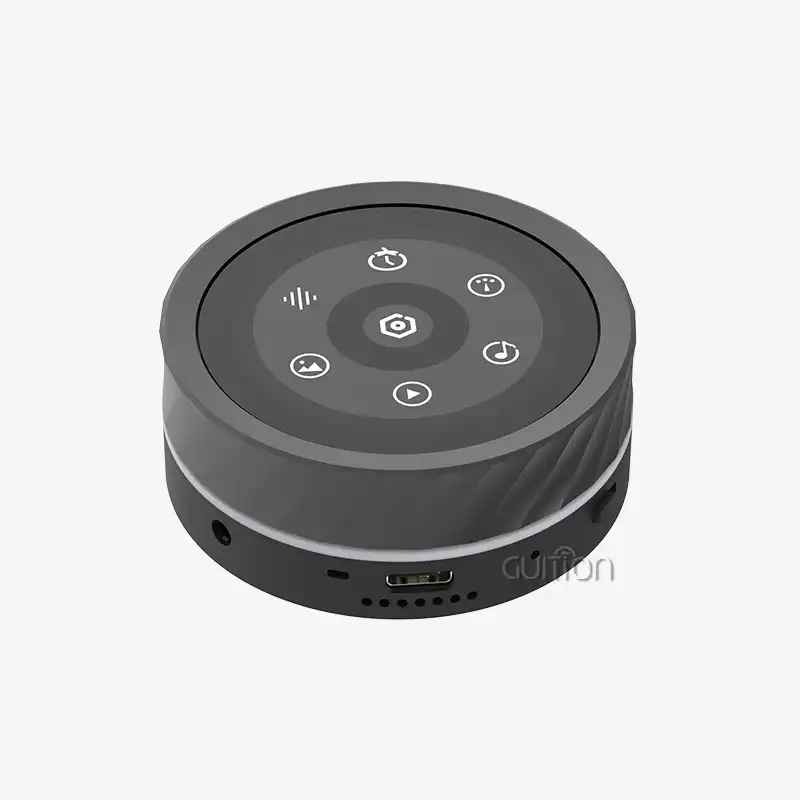
In many compact products, the Дисплейи KNOB бо андозаи 1.8 дюймаи ESP32-S31 can simplify device control. It puts a 360x360 IPS capacitive touchscreen and a physical rotary knob in one module. Users can turn, press, or touch to change settings while the screen shows the result. The ESP32-S31NRV16 dual-core processor, Wi-Fi 6, and Classic Bluetooth add connected functions, and the GUITION platform lets teams build the interface by drag and drop. Below, I cover the hardware, the workflow, the use cases, and the checks I recommend before you buy.

Why Device Control Interfaces Need to Become Simpler
Cluttered Panels and Phone-Only Control
Plain old push-to-button screens get pretty crowded, pretty fast. Every new button, sign, or hole in the case has to be logged, and users have to remember what each of them does. "It's not the same when you can only control it from your phone." The item is difficult to use when WiFi is down, the app is not working, or there is no phone around. That’s important for things where people need to make changes fast, like thermostats, light controllers, and test equipment. You can use the product because it has a local interface, and you don't need a network. The screen also provides clear feedback instead of leaving people to guess.
Separate Modules Add Wiring and Enclosure Work
It will usually have a small screen, a controller board, a spinning encoder, and another board. It works, but each part has its own wires and connectors and places to mount them. Your team needs to position the knob properly on the screen, figure out how to send the signals, and test the whole thing. More room and holes in the cage. If the layout is changed, the enclosure has to be made again from scratch. All that extra electrical and mechanical work takes up time for companies and R&D teams that are short on time for each prototype round. Not having different parts also means a loose connection or wiring mistake is less likely.
Why a Rotary Knob With a Display Makes Sense
People already use a knob to adjust lights, temperature, and volume. To change, rotate the knob and press again to confirm. Don Norman wrote a book in 2013 called The Design of Everyday Things. In it he talks about the importance of giving people clear feedback on what a tool did. You see that on a screen next to a knob. The ESP32-S31 1.8-inch KNOB display brings it all together on one board. It has a 360x360 IPS screen, rotary knob and touch that works in more than one spot. You can run a single unit directly, go into settings and change parameters. When a product needs them, Wi-Fi and Bluetooth let it connect to the internet.
ESP32-S31 1.8 inch KNOB Display Specifications and Core Hardware
Screen, Touch, and Knob
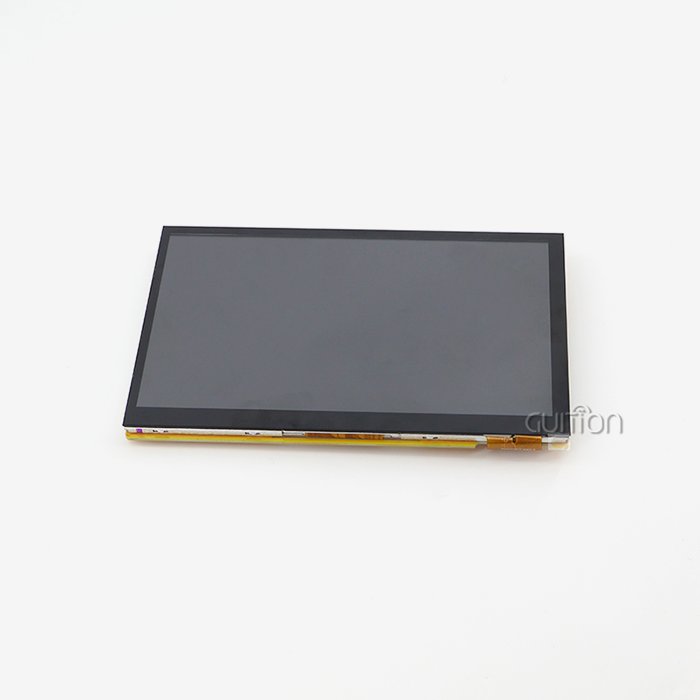
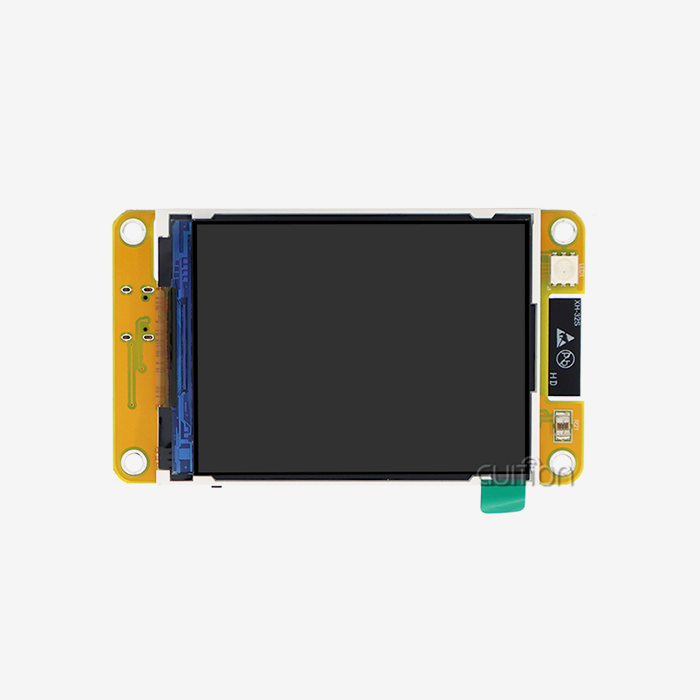
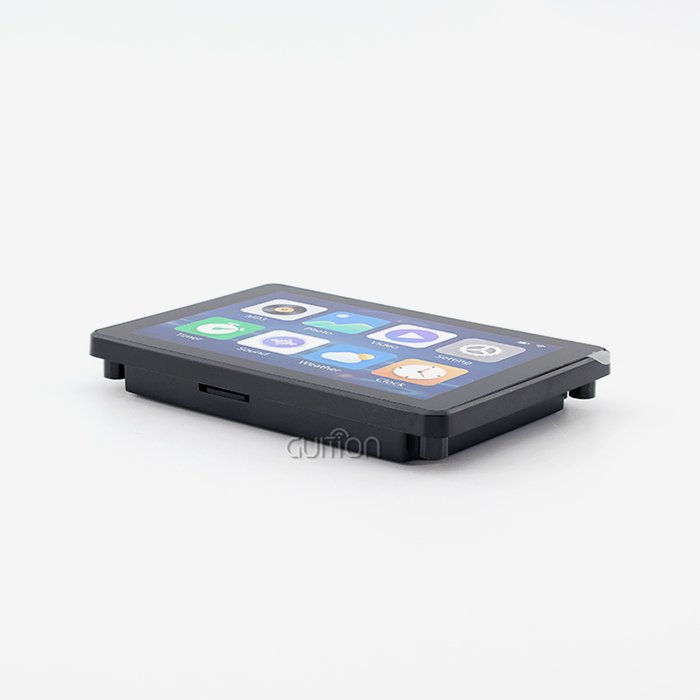
This module has an IPS screen that is 1.8 inches and has a resolution of 360x360. It also has a capacitive touch layer that can handle more than one touch point. The knob that turns gives you another way to enter data. This size of table doesn't work well on this screen. Instead, a few icons, short status text, and one big value work better. I believe that every page should have a main task, like picking a music source or adjusting the temperature. This is because the mechanical drawing has to line up with the knob, screen, and panel opening. The style of the case is also important. Check that picture to make sure the gear you buy is the right one.
Processor and Wireless Connectivity
The heart of it is the ESP32-S31NRV16. The processor has two cores and runs at 320 MHz. It works with Bluetooth 6 and Wi-Fi 6. There is a technology called IEEE 802.11ax that is used for Wi-Fi 6. In 2021, the IEEE made it a rule. It's easy to stream music with Bluetooth Classic, which is also called BR/EDR. That works with the module's WiFi sound player and noise reduction built in. The module can also play MJPEG videos smoothly and study the audio spectrum in real time. Get the datasheet to make sure you know what you need to know about the power, memory, and interfaces for your changes.
Onboard Peripherals and Pre-Integration Checks
Дар Дисплейи KNOB бо андозаи 1.8 дюймаи ESP32-S31 comes equipped with two microphones, a haptic input vibration motor, and a speaker driver. Because it's battery-ready, it can be used with handheld devices. With these parts, a plan might not need as many extra boards. Before you start integrating, you should read the official documents to make sure you understand the logic levels, working voltage, current demand, reserved pins, boot setup, and programming interface. Those numbers might change as technology gets better, so we're not putting them here. Make sure you know which pins the presenter, touch, knob, and sound hardware already use before you add your own sensors. Each number should go with the exact type you order.
How the ESP32-S31 1.8 inch KNOB Display Simplifies Device Control
A Simple Local Control Workflow
For the ESP32-S31 1.8 inch KNOB display, the basic loop is three steps. Spin to see all of the choices, press to make your choice, and then read the outcome on the screen. The buzzing motor can also give a short pulse for extra fun. This permits people to feel all that they do. I think the menu should be split into 5 parts: an overview page, main tasks, options, alerts and modifiable parameters. - Make the current page the home screen – because it always shows what's going on. The knob is good for fine-tuning, such as from 20 to 22. Touch can change quickly. According to Nielsen Norman Group (2019), when touch goals are too small, people make mistakes. So a button can help you make little changes.
Development Workflow, Wireless Features, and OTA
Using the ESP32-S31 1.8 inch KNOB display, a group can use the GUITION online platform. It comes with tools, lets you drag and drop things into place, and lets you test online on multiple platforms. You don't need to know how to code to use the interface. It works with Arduino, ESP-IDF, and MicroPython as well, so if your engineers like code, they can use those instead. For ESP-IDF jobs, the ESP-IDF Programming Guide (2024) from Espressif is the most important book. First, check that the drivers, libraries, examples, board packages, and pin configuration are correct for your revision. You can set up and keep an eye on things over Wi-Fi and Bluetooth without giving up local control. Over-the-air (OTA) updates let users change their projects without going to the site, and UTF-8 encoding lets you use tools in more than one language.
Comparison With Touchscreens and Separate Encoders
You can change the layout of a panel that only has touchscreens, but they can be hard to use if your hands are wet or if you're wearing gloves. You also need to be more careful when making small changes. It takes extra work to wire, place, and align a different encoder module, but it also lets you use your fingers to control things. With the knob controlling fine-tuning and the touch screen controlling quick actions, the ESP32-S31 1.8 inch KNOB display combines both types of input. A short list of things that can help you decide is the screen's visibility, the accuracy of the input, the connection, the processor's resources, the power budget, the size of the enclosure, the annual volume, the documents, and the security of the power supply. Big dashboards shouldn't have 1.8-inch screens. If your product needs a bigger screen, Guition also has screens from 1.28" to 21.5".
Application Scenarios for the ESP32-S31 1.8 inch KNOB Display
Smart Home, IoT, and Consumer Devices
The knob on a smart home device changes the light or temperature, and the number that's shown on the screen is what it is now. An IoT hub or sensor monitor can set up the network and show what's going on with a device right there on the spot. It can play music, analyse spectrums, frame photos, and play MJPEG videos. These features can be used by portable media players, desktop monitors, and smart art supplies. The two mics let you talk and record sound in forms that focus on sound. Anyone can use the Дисплейи KNOB бо андозаи 1.8 дюймаи ESP32-S31 to make changes by touching the screen and seeing the changes right away. Because it has Wi-Fi and Bluetooth, you can control it from afar, and you can use it even when the network is down with local control.
Интерфейсҳои саноатӣ, тиббӣ ва автомобилӣ
For example, it can be used in 3D printer interfaces, instrument panels, handheld testing tools, and automation controls. Some examples are the tools for massage devices, the interfaces for medical and healthcare equipment, and the screens for health tracking. In cars, it's used for instrument clusters, EV charging pile displays, and dashboard accessories. The ESP32-S31 1.8 inch KNOB display in these products saves space on the panel and gives users a single spot to change and read values. Each field has its own rules about safety, weather, and certification, so before you set the design freeze, make sure that the paperwork for the module matches those rules. The module is not the same as the process of approving medical or car equipment that needs to be managed.
OEM and ODM Projects From Prototype to Pilot
On the GUITION tool, a group can first show that the idea works. Then, to make sure the idea is good, they can use code for Arduino or ESP-IDF. The next step is to make a test version. Because Guition gives engineers secondary development interfaces and technical documents, they can change functions without having to do a lot of hard low-level work. If the project's goals and the terms of the supply allow it, changes may be made to the firmware, the design of the interface, the branding, and the packaging. There is no need to learn a new design tool for teams to switch between the different sizes of the ESP32-S31 1.8 inch KNOB display. The GUITION software is the same for all sizes, so this is possible. Tell us what we can do to assist you with your project.
How to Evaluate and Buy the ESP32-S31 1.8 inch KNOB Display
A Pre-Purchase Evaluation Checklist
On a sample Дисплейи KNOB бо андозаи 1.8 дюймаи ESP32-S31, I carry out the tests below before making a bigger order.
- Hardware: For hardware, look at the datasheet and mechanical drawing to see if the resolution of the screen, the operating voltage, the current draw, the interfaces, the pinout, the operating temperature, the dimensions, and the information on how to mount the device all match up. This is because numbers on paper don't show how the tools feel when they are used every day. Use a real sample instead to test how the knob feels, how it responds to touch, and how it feels when it vibrates.
- Software: Read the user guide, sample code, drivers, and online help for the software. If your team wants to use code to build the app, start by making a simple menu in GUITION. Then, do the same thing in Arduino or ESP-IDF. Check out how over-the-air (OTA) updates work and how quickly you can get answers to tech questions.
- Supply: Ask about the minimum order quantity (MOQ), the time it takes to get the job done, the packaging, quality control, approval, experience with exporting, and the total cost of the job. Test a sample first, then place a pilot order, and finally place the full order. Each step works well on its own. It's safer to use this way, and you can see how the supplier handles help before you buy more.
These checks find most bugs before they get to production.
Procurement Options for OEMs and Distributors
There are three main ways that people can get what they want, engineering models, bulk sales and OEM or ODM projects. When you get your samples, be sure to check the model number, hardware revision, tools, example software, paperwork, shipping method and support available. Before placing a big order, find out the minimum order quantity (MOQ), tiered price, production capacity, wait time, packaging, payment terms, inspection plans and shipping plans. You can change the firmware, the interface design, the logos, the connections, the way the enclosure is built, the packing, and the certification support. It is important to check each supplier of the ESP32-S31 1.8 inch KNOB display on technical knowledge, paperwork, quality systems, capacity, export experience, communication and service after sale. If you have a written scorecard, you can be sure the comparison will be a fair one.
Implementation Risks and How to Avoid Them
Short explanations in the market are not enough. Request for the ESP32-S31 1.8 inch KNOB display latest datasheet, pinout, mechanical drawing and operating limits. On a small screen, users get angry when layouts are too crowded, menus are too long and selection states aren’t obvious. 1. From the menu, choose "New Project" to create a new project. * **New Project** Make sure voltages are compatible with each other. Make sure current can flow. Make sure there are no GPIO conflicts. Make sure the boot pin works. Make sure the signals are correct . 47 CFR Part 15 says all wireless items sold in the US must comply with FCC rules. This means you need to plan for EMC testing, EMI testing, RF layout, and security. Finally, find out about the parts offered, how they deal with changes, what the lifecycle will be and how change alerts work.
хулоса
It can be easier to control a device with the Дисплейи KNOB бо андозаи 1.8 дюймаи ESP32-S31 when it needs small visual feedback, tactile adjustments, and wireless features that can be turned on or off. You don't need as many different parts because it comes with an IPS tablet that is 360x360, a rotary knob, a dual-core ESP32-S31NRV16 processor, Wi-Fi 6, Classic Bluetooth, audio and haptic parts. Teams can build and maintain the interface in different ways thanks to the GUITION platform, Arduino, ESP-IDF, MicroPython, and OTA support. To get the most out of some ideas, you might need a bigger screen or a custom board. It works with audio, smart home, IoT, industrial, medical, and automotive devices. You can make the best choice by looking at tested specifications, sample tests, software support, certification needs, and the total cost of the job.
Саволҳои зиёд такрормешуда
Q: What are the key specifications of the ESP32-S31 1.8 inch KNOB display?
A: The screen is 360x360 IPS capacitive and can be touched from more than one point. Another thing it has is a spinning knob and an ESP32-S31NRV16 dual-core processor that runs at 320MHz. Old-style Bluetooth and Wi-Fi 6 work with it.
Q: Does it support Arduino?
A: Yes. It can be used with MicroPython, Arduino, the GUITION platform, and ESP-IDF. On the website, you can find libraries and pin layouts that work with your hardware.
Q: How does it differ from a touchscreen-only display?
A: It adds a real rotating knob and vibration input to the capacitive surface to make it more useful. With the knob, you can make small changes with your finger, and the touch screen lets you quickly get to certain things.
Q: Can I order samples or OEM and ODM services?
A: Yes, you can email david@guition.com to get more information about prices, lead time, samples, and customisation. Get the most up-to-date datasheet, pinout, and mechanical drawing, and make sure you have the right voltage and power values for your copy.
Contact Guition About the ESP32-S31 1.8 inch KNOB Display
Guition sells screens from 1.28" to 21.5", the GUITION design software, and technical documents that can be used to make the software even better. Please email david@guition.com with the type of application, expected annual volume, target market, and certification needs you have for an ESP32-S31 1.8 inch KNOB display supplier. We will let you know when samples are available, what the minimum order quantity is, how much they cost, and how long you have to wait. Visit https://jingcaizhineng.aixdb.cn/ to learn more about this item.
Адабиёт
1. IEEE, IEEE Standard for Information Technology—Wireless LAN MAC and PHY Amendment 1: Enhancements for High-Efficiency WLAN (IEEE Std 802.11ax-2021), 2021
2. Bluetooth SIG, Хусусияти асосии Bluetooth Нусхаи 5.4, 2023
3. Don Norman, The Design of Everyday Things, Revised and Expanded Edition, Basic Books, 2013
4. Системаҳои Espressif, Дастури барномасозии ESP-IDF, 2024
5. Гурӯҳи Nielsen Norman, Ҳадафҳои ламсӣ дар экранҳои ламсӣ, 2019
6. Federal Communications Commission, Code of Federal Regulations Title 47, Part 15: Radio Frequency Devices, 2023
Дар бораи маҳсулот ва тахфифҳои охирини мо тавассути SMS ё почтаи электронӣ маълумот гиред