- انگريزي
- فرانسيسي
- جرمن
- پرتگالي
- اسپيني
- روسي
- جاپاني
- ڪوريائي
- عربي
- يوناني
- جرمن
- ترڪ
- اطالوي
- دانش
- رومانوي
- انڊونيشين
- چڪ
- آفريڪي
- سويڊني
- پولش
- بسڪاني
- ڪئٽئلن
- ايسپرينٽو
- هندي
- لائوٿيئن
- الباني
- امهاري
- آرمينيائي
- آزربائجاني
- بلارشين
- بنگالي
- بوسنيائي
- بلغاريا
- cebuano
- Chichewa
- ڪارسيڪن
- مڪڙي
- ڊچ
- ايستونائي
- فلپائني
- فني
- فريشن
- گاليشين ٻولي
- هزارين
- گجراتي
- Haitian
- هوسا ٻولي
- هوائي
- عبراني
- همنگي
- هنگري
- آئس لينڊي
- اگبو
- جاواني
- سرهندي
- قزاک
- khmer
- ڪردش
- ڪرگيز
- لاطيني
- ليٽ
- لٿئنين
- لگزمبو..
- مقدوني
- Malagasy
- مالائي
- مالايالم
- مالٽي
- مائوري
- مراٺي
- منگول
- برمي
- نيپالي
- نارويجي
- پشتو
- فارسي
- پنجابي
- سربيائي
- سسوٿو
- سنهالا
- سلوويڪي
- سلوويني
- صوماليا
- samoan
- اسڪاٽس گئلڪ
- Shona
- سنڌي
- سوڊاني
- سواهلي
- تاجڪ
- تامل
- تيلگو
- ٿائي
- يوڪريني
- اردو
- ازبڪ
- ويٽنامي
- ويلش
- ايڪزوھا
- يدش
- يوروبا
- زولو
Smart Displays for Home: Which Features Matter Most?
The features that matter most in گهر لاءِ سمارٽ ڊسپلي are screen clarity, responsive touch, stable wireless connectivity, protocol support, and physical privacy controls. A sharp display and fast input make daily tasks quick, while Wi-Fi, Bluetooth, and standards such as Matter determine which devices a screen can control. Microphones and cameras add value only when hardware privacy switches and regular firmware updates come with them. Buyers should also weigh software support and total cost of ownership, not price alone. Below, I compare the features that count, match them to each room, and show where Guition modules fit custom projects.

گهر لاءِ سمارٽ ڊسپلي ڇا آهن، ۽ اهي ڪيئن ڪم ڪن ٿا؟
تعريف ۽ آپريٽنگ اصول
Smart home displays are touch screens connected to each other that can control lights, HVAC systems, locks, and webcams. Every tap or word you say is translated into an order that a device that can understand can follow. That is software. The interface is run by a processor, and a Wi-Fi chip connects the screen to the router. Most home models have both a microphone and a speaker, so when you talk to it, it responds with sound and something you can see, such as the temperature setting or the timer going down. That way, everyone in the family can see the same dashboard. The screen remains fixed on a wall or counter. I like the visual confirmation, which eliminates the guessing I have to do with devices that only use voice.
Smart Displays vs. Speakers, Tablets, and Phones
A smart speaker can only talk when asked a question, so it can’t show a camera feed or a shopping list. Tablets have more apps and are more portable, but they need to be charged and have a stand. Also, each user has to sign in to their own tablet. If someone has their phone with them, they can share jobs across a variety of apps. A fixed display closes those holes because a fixed display never goes off and shows the same dashboard to everyone. Most of the time, I tell people to get a phone and a separate screen for public locations. In contrast, a tablet can play almost any game, while a wall device can only do a few things.
How Wi-Fi, Bluetooth, Zigbee, Matter, and Thread Connect
What a screen can do is determined by how connected it is. Wi-Fi and Bluetooth are both involved in establishing and connecting devices in the area. The screen connects to the computer and the cloud services via Wi-Fi. In their documentation, they say that the ESP32 works with Bluetooth v4.2, BR/EDR, and Bluetooth Low Energy. Thread is a low-power mesh network for tiny sensors. Zigbee is a newer mesh protocol, but most of the time you’ll want a hub or bridge instead. In October 2022, the Connectivity Standards Alliance published the Matter 1.0 book. This layer of apps sits atop Thread and Wi-Fi, allowing devices from different brands to get together and do things together. I always look to see what radios any of the گهر لاءِ سمارٽ ڊسپلي on the market actually have before buying them.
The Most Important Smart Display Features for Home Use
Screen Quality and Touch Response
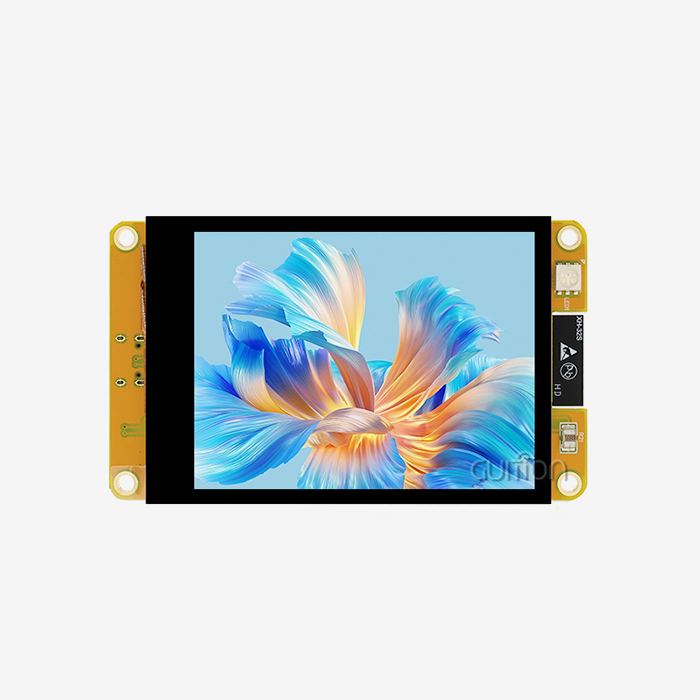
What makes a screen easy to read from across a room? This is affected by things such as screen size, clarity, brightness, and viewing angle. In the kitchen, you need brighter lights and surfaces that don't reflect light, while in the bedroom, the lights should turn down automatically. How you feel when someone touches you is also important. Google's Material Design rules say that touch targets should be at least 48 by 48 pixels, which is about 9 mm, so that the right button can be reached. Things are laid out on a small screen based on this rule. The Guition ESP32-2432S024R has a 2.4-inch, 240x320 panel that has about four of these buttons on each 240-pixel side. A rough touch can tell when there is pressure, so you can use your fingertip, a stylus, or your gloved hand. It is better to have a few bigger controls in the menus than a lot of small ones.
Voice, Audio, and Privacy Controls
Voice quality depends on where the mic is set, how well the wake word is spelled, and how well the noise is taken care of. They all get tested in a kitchen with a fan on. Speaker output is important for timers, calls and music. Language support is important in homes where more than one language is spoken. The same should apply to privacy. What I need is a hardware camera shutter and a hardware microphone mute switch so that I know the hardware is disabled. This is not possible by means of a program option. One type has no cameras at all, which is good for beds. NIST's IoT standard, NISTIR 8259A, says that key gadget functions should include keeping software up to date and keeping data safe. This is why I ask each provider about their software update policies.
Software Support and Automation Compatibility
Because hardware gets old quickly without software support, گهر لاءِ سمارٽ ڊسپلي need a clear update policy. I look at the platforms, the habits and the plans of the screen, and how long the maker says updates will be available. Matter support means you don’t have to rely on different apps — but only if the system is always kept up to date. When you do your own, tools are even more important. Guition’s UI development software allows you to change an interface after release. No technician needed. Teams can fix and update user projects online and from afar to do this. The ESP32-2432S024R is Arduino IDE, ESP-IDF, MicroPython, and Mixly compatible. That way, engineers can use the tools they know how to use.
Best Uses for a Smart Display in Different Rooms
Kitchen and Living Room Needs
The kitchen is the worst room to put on a show. And there needs to be strong mics and lots of timers because of the steam, grease and wet hands. It is helpful to read recipes and make shopping lists every day. You are in the living room and care more about clear sound, shared calendars, multiple user profiles and video calls with your family. Wavy cameras are good if you have a lot of people in the picture. I don't think you should buy one model per room. I think you should be matching the features to the room instead. Because you don’t need a feature that works well in the kitchen in the bedroom. To get the most out of smart displays for home, each unit should have a clear purpose.
Bedroom and Privacy-Sensitive Spaces
Bedrooms need to be quiet. The weather, calendar, night mode, alarms, and how the alarms are set are more important than the video quality. Having a camera in a bedroom could be a privacy risk, so it makes sense to have a model without a camera or shut-off button. It helps to have a sense of light. You can use the ESP32-2432S024R's sensor circuit and lighting control circuit together to make the screen brighter or darker depending on how bright the room is. With an RGB-LED control circuit, you can add a soft status light. If I were sending out anything to help people sleep, I would still check the lights at night, since a bright panel makes it hard to sleep.
Automation, Security, and Energy Control
Lights, locks, thermostats, and camera feeds are just a few of the things that can be controlled by smart displays for home. Every home should have a temperature screen that works, even when the internet is down. That is why it is important to have local power. It has a USB port, a TF card port, a DHT11 temperature and humidity sensor port, and IO ports that can be used in the future. Developers can use them to make small displays that show things like the temperature in a room, where to charge electric vehicles, or the status of an appliance. It also works with lithium batteries and controls how much they charge and discharge, keeping them safe from overcharging and overdischarging. This makes it perfect for portable control units.
How to Choose a Smart Display for Home: A Practical Buying Checklist
Match the Room, Task, and Platform
You could be making recipes, keeping an eye on things, or calling family. Start with the place and the main job. Then check to see if it works with all of your other electronics. I'm not going to pick a clear winner between the Amazon Echo Show and the Google Nest Hub to keep things easy. Consumers opting for smart displays for the home consider the assistant’s performance, supported streaming services, video calling capabilities, proprietary hardware, availability, and how well it handles updates. The screen is based on a different assistant, which doesn’t add much for a family that has Alexa-based plugs. List three things the screen needs to do each day to help you make a decision.
Check Specs, Certifications, and Security
What are the most important things you need (screen, processor, memory, microphone, speaker, wireless radios, operating system, power consumption)? And make it so. FCC rules, 47 CFR Part 15, cover items sold in the US that are radio frequency devices. People who buy things and send them to Europe also ask about CE, RED and RoHS. You have graphics and test results. There should be safety as well. Ask about the company’s policies on firmware updates, how it handles existing data, and what happens to models it no longer supports. Ask if the shutter on Smart displays for home with cameras is controlled.
Compare Consumer Products, OEM Modules, and Total Cost
The products for the consumers are ready to use, but the hardware, software and logos are still the same. OEM display units have a higher initial cost, but they enable smart displays for homes to have private labels, custom interfaces and a controlled bill of materials. When people buy something, I say to add up the total cost of ownership: the price of the item, the time to make, test, certify, maintain, and return under warranty, and the cost to plan for a replacement. A cheaper screen that must be changed in person is typically more expensive than a more expensive screen that can be changed from a distance. Many people make the mistake of not reading the steps, not thinking about how good the microphone and camera are, or just putting an order without first making sure they can get help after the sale.
Smart Displays for Wholesale, OEM, and Residential Projects
When to Work with a Specialised Manufacturer
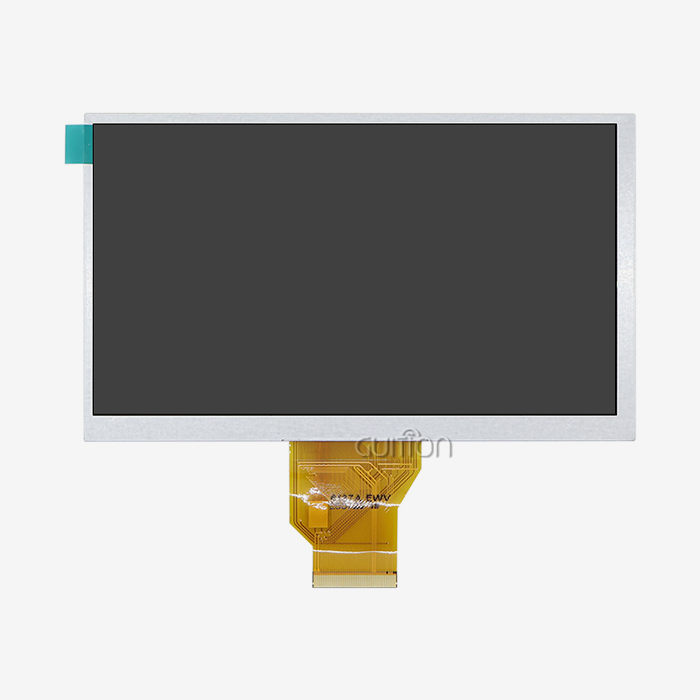
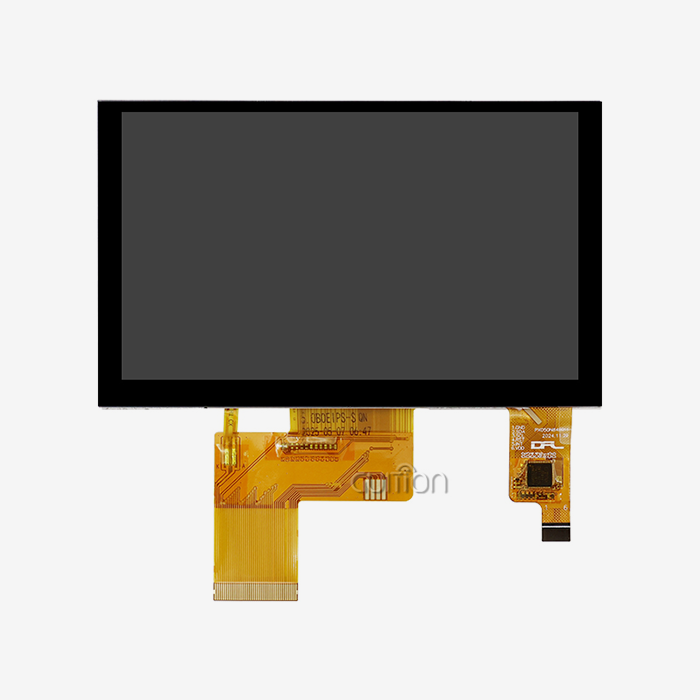
If you need a private-label brand, a specific screen size, a custom interface, or a steady supply over multiple production runs, it makes sense to go to a maker who specialises. The group is mostly made up of people who build houses, run hotels, run facilities for seniors or work in stores. The Guition brand name owner is Shenzhen Jingcai Intelligent Co., Ltd. They create HMI display systems and USART-HMI displays with sizes ranging from 1.28 inches to 21.5 inches wide. This allows teams to select a panel that matches the item without having to modify the item to meet certain dimensions. When engineers can talk directly to the manufacturer, they can get guidance, extra development tools and help with technical issues.
Supplier Evaluation and Procurement Specification
I consider the following when choosing a supplier: certifications, manufacturing experience, stable parts, production capacity, lead times, firmware support, warranty procedures, and export documentation. Then I plan with these points so that each quote can be used as a guide. A good specification will include screen size and resolution, touch screen type, Wi-Fi radios, privacy features, target market and certifications, degree of customisation, delivery schedule, terms of technical support and any extra parts needed. You may find two quotes for گهر لاءِ سمارٽ ڊسپلي that appear identical but differ in chipsets, software terms or warranty limits, without any paper.
جتي گيشن ESP32-2432S024R فٽ ٿئي ٿو
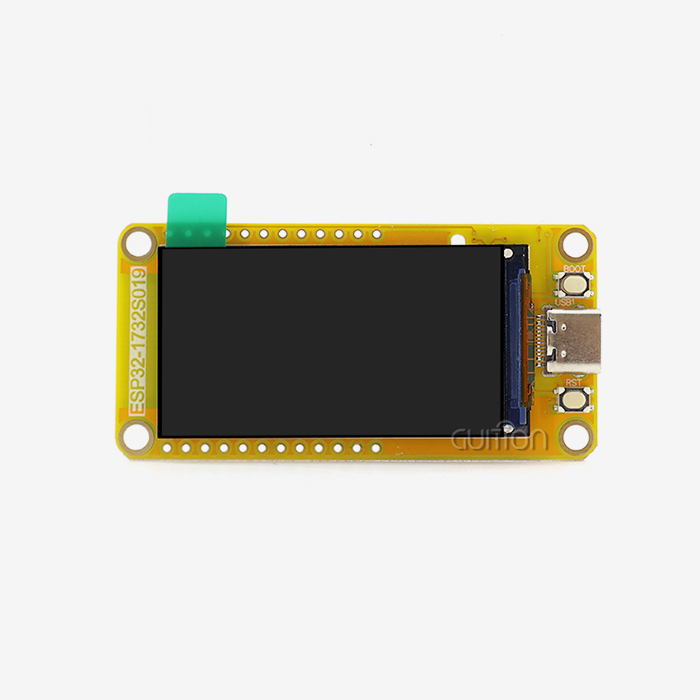
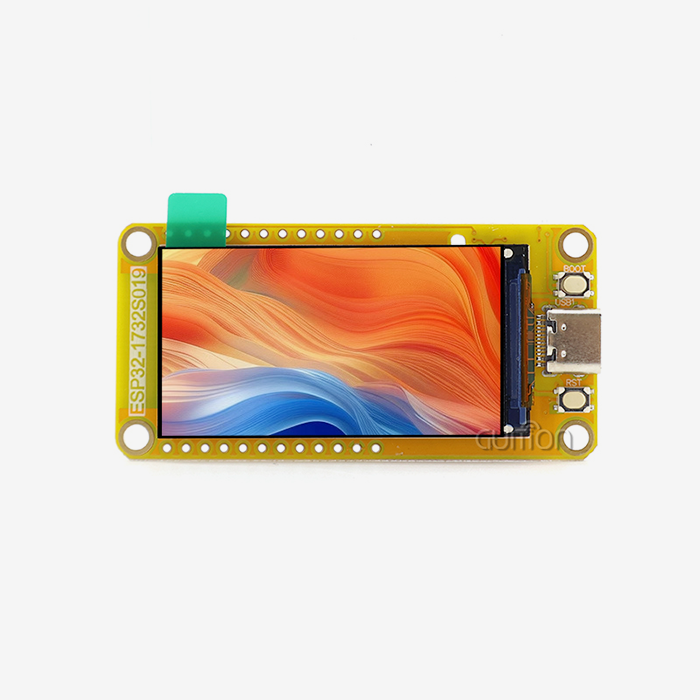
The Guition ESP32-2432S024R is not a finished consumer hub. It is a module that is ready to be built on. Besides that, it can go up to 240 MHz and has dual cores. The phone has Wi-Fi, Bluetooth, a 2.4 inch touch screen, 520 KB SRAM, 448 KB ROM, 4 MB flash and a 65K colour LCD. Each unit has a built-in test program, and the Arduino library functions and one-click downloads speed up prototyping. Builders can use it to create unique smart displays for the home showing data about energy use, lighting, temperature, cooking timers and other things. For projects that require it, the Guition range includes screens that are 21.5 inches wide.
ٿڪل
When their features are appropriate for the environment and the task at hand, گهر لاءِ سمارٽ ڊسپلي are most useful. Things like screen brightness, touch response, Wi-Fi radios, and Matter support affect how useful it is every day. There should be clear rules about how to update firmware on microphones and cameras, as well as physical privacy controls. Things that are bright and easy to clean are best for kitchens. It's best for bedrooms to have dim lighting and privacy. And automation panels are the best way to keep lights, locks, and thermostats under stable control. OEM modules like the ESP32-2432S024R let buyers make their own interfaces as long as they check the supplier's credentials, terms, and total cost of ownership. Consumer goods are easy to use because they are already made. Make a list of features based on what the room and project need, then use that list to compare goods. This is a smart lesson in real life.
لوڊ
Q: What are smart displays for at home?
A: There are links between these touchscreens so they can show information and be operated by voice, touch, a mobile app, or the right lights, plugs, heaters, cameras, locks, and sensors. Instead of just speaking, they show that every order was received.
Q: Do smart displays work for homework without internet?
A: Things in the cloud that used to work, like news and streaming, no longer do. Controlling things locally rests on the model, its radios, and the protocols it works with. That's why I ask sellers to write down how it works in real life before I buy it.
Q: Which feature should I check first?
A: First, check to see if the hardware and protocol can work together. A sharp screen can't manage things it doesn't understand. After that, read over the warranty terms, privacy hardware, and firmware updates.
Q: Can businesses order custom smart displays for home projects?
A: In fact, you can pick the screen size, software, logos, and packing for OEM, retail, and other projects. Make sure you understand the certifications, MOQ, wait times, guarantee terms, and firmware support before you place an order. It helps secondary growth meet these needs.
Request smart displays for home from Guition.
Your agenda includes smart displays for home projects. Please let Guition know what you want to use it for, who you want to buy it from, what size screen you need, and how many you want to order. Our team will then get back to you with datasheets, samples, MOQ, lead time, and warranty terms. The Arduino, IDF, and Guition creation modes and the Guition UI tools all cut down on the time it takes to build. We work as smart displays for homeowners and skilled partners for private, retail, and original equipment manufacturer (OEM) projects. Email ڊيوڊ@guition.com or go to https://jingcaizhineng.aixdb.cn/ to start your question.
حوالا
1. Connectivity Standards Alliance, Matter 1.0 Specification, 2022.
2. ايسپريسف سسٽم، اي ايس پي 32 سيريز ڊيٽا شيٽ، 2023.
3. National Institute of Standards and Technology, NISTIR 8259A: IoT Device Cybersecurity Capability Core Baseline, 2020.
4. Federal Communications Commission, 47 CFR Part 15: Radio Frequency Devices, 2023.
5. Google, Material Design Accessibility Guidelines, 2023.
6. Thread Group, Thread 1.3 Specification, 2022.
ايس ايم ايس يا اي ميل ذريعي اسان جي جديد پروڊڪٽس ۽ رعايتن بابت سکو