- ភាសាអង់គ្លេស
- បារាំង
- អាឡឺម៉ង់
- ព័រទុយហ្គា
- ភាសាអេស្ប៉ាញ
- ប្រទេសរុស្ស៊ី
- ភាសាជប៉ុន
- ភាសាកូរ៉េ
- អារ៉ាប់
- ភាសាក្រិច
- អាឡឺម៉ង់
- តួកគី
- ភាសាអ៊ីតាលី
- ភាសាដាណឺម៉ាក
- រ៉ូម៉ានី
- ឥណ្ឌូនេស៊ី
- ឆែក
- Afrikaans
- ស៊ុយអែដ
- ភាសាប៉ូឡូញ
- ភាសាបាស្កេ
- កាតាឡាន
- Esperanto
- ហិណ្ឌូ
- ភាសាឡាវ
- អាល់បានី
- Amharic
- អាមេនី
- បេឡា
- បេឡារុស
- bengali
- បូស្នៀ
- ប៊ុលហ្គារី
- Cebuano
- ភាសាឈិចិវា
- កូសីកា
- ក្រូអាស៊ី
- ហូឡង់
- ភាសាអេស្តូនី
- ហ្វីលីពីន
- ហ្វាំងឡង់
- ភាសា
- ហ្គាលីស្យាន
- ហ្សកហ្ស៊ី
- ហ្កុយ៉ារាទី
- ហៃទី
- ហូសា
- ហាវ៉ៃ
- ភាសាហេប្រឺ
- ភាសាម៉ុង
- ភាសាហុងគ្រី
- អ៊ីស្លង់
- ភាសាអ៊ីបូ
- ជ្វា
- កាណាដា
- កាហ្សាក់ស្ថាន
- ភាសាខ្មែរ
- ឃើដ
- Kyrgyz
- អក្សរឡាតាំង
- ភាសាឡាតវីយ៉ា
- លីទុយអានី
- លុចសំប៊ូ..
- ស្រុកម៉ាសេដូន
- ម៉ាដាហ្កាស
- ភាសាម៉ាឡេ
- ម៉ាឡាយ៉ាឡា
- ម៉ាល់តា
- Maori
- marathi
- ភាសាម៉ុងហ្គោ
- ភាសាភូមា
- នេប៉ាល់
- ន័រវេស
- ប៉ាសតូ
- ពែក្ស
- Punjabi
- ស៊ែប៊ី
- សេសួដូ
- ស៊ីនហាឡា
- ស្លូវ៉ាគី
- ស្លូវ៉ានី
- សូម៉ាលី
- សាម័រ
- ស្កុតហ្គាលីក
- សូណា
- Sindhi
- ស៊ុនដា
- ភាសាស្វាហ៊ីលី
- Tajik
- ភាសាតាមីល
- តេលូហ្គូ
- ថៃ
- អ៊ុយក្រែន
- ភាសាអ៊ូរឌូ
- Uzbek
- ភាសាវៀតណាម
- វេល
- ភាសាឃសា
- yiddish
- yoruba
- ហ្សូលូ
ម៉ូឌុល LCD ច្រកសៀរៀលទំហំ 10.1 អ៊ីញ៖ ដំណោះស្រាយ HMI ដែលអាចទុកចិត្តបានសម្រាប់ឧបករណ៍
A អេក្រង់រន្ធសៀរៀលទំហំ ១០.១ អ៊ីញ is a display module that talks to your controller through UART, TTL, RS232, or RS485 instead of a standard video cable. If you build industrial panels, medical monitors, or smart home controllers, this guide shows you exactly how to spec, wire, and source one without guesswork. You will learn the real differences between communication interfaces, touch technologies, and supplier documentation standards before you commit budget to a design.

Answer Engine Summary
A 10.1-inch serial display is an LCD or touchscreen controlled through a serial interface rather than direct video input. Equipment builders use it because the module handles graphics rendering locally, which frees the host MCU for control logic.
- Typical resolution: 1280 × 800 pixels on a 16:10 panel.
- Common interfaces: UART, TTL, RS232, and RS485.
- Capacitive touch fits clean interfaces; resistive touch handles gloves and dust.
- RS232 works point-to-point; RS485 handles longer multi-device runs.
- Buyers should request EMC, RoHS, and traceability documentation before production approval.
- OEM suppliers can adjust firmware, connectors, bezels, and mechanical dimensions to match your enclosure.
What Is a 10.1-inch Serial Port Screen? Definition and Scope
Definition of a 10.1-inch Serial Port LCD Module
A អេក្រង់រន្ធសៀរៀលទំហំ ១០.១ អ៊ីញ is an HMI display that exchanges commands, data, and touch events with a host controller through a serial line rather than parallel video signals. The module usually bundles the LCD panel, a driver board, backlight circuit, and sometimes a touch controller into one unit.
Standard specifications you will see on most datasheets include a 10.1-inch diagonal size, 16:10 active area, and 1280 × 800 pixel resolution. The module typically supports text, icons, menus, alarms, and status screens, which makes it suitable for operator-facing equipment where a full operating system is unnecessary.
What a Serial Display Is Not
Buyers sometimes assume any 10.1-inch screen will drop into their design without checking protocol compatibility. That assumption causes delays. A serial screen is not the same as:
- An HDMI monitor that receives a finished video frame from a graphics card or system-on-chip.
- A USB monitor that depends on a computer operating system and display driver.
- A standalone computer, PLC, or logic controller capable of running independent application code.
- A universal module that accepts every UART command set without firmware matching.
Voltage levels, baud rates, connector pinouts, and command formats must match between the display and the host. Mismatched logic levels are one of the most common reasons a new integration fails on the first test bench.
Typical Industrial HMI Applications
Equipment teams deploy serial displays across a wide range of machine categories. Common examples include factory automation panels, CNC machine interfaces, laboratory analyzers, building automation controllers, energy storage inverters, and rehabilitation equipment under applicable medical regulations. Each application shares a common requirement: a local operator interface that reports status and accepts input without burdening the main processor with graphics rendering tasks.
What Makes a 10.1-inch Serial Port Screen Suitable for Industrial HMI Applications?
HMI Advantages of Serial Communication
Serial displays took hold in equipment design because they shift graphics processing away from the main controller. The អេក្រង់រន្ធសៀរៀលទំហំ ១០.១ អ៊ីញ lets embedded engineers send simple text or page commands over a UART line instead of writing pixel-level code.
This approach reduces firmware complexity on the host side, supports local alarm and status display, and lets microcontrollers, PLCs, and industrial computers communicate through a shared command set. The display module manages touch detection and rendering internally, so your team spends less time on low-level driver work and more time on the actual control logic your product needs.
Industrial Equipment Integration Scenarios
Different buyers face different constraints when selecting a serial display. The table below separates three common scenarios and the evaluation points that matter most for each one.
| សេណារីយ៉ូអ្នកប្រើប្រាស់ | តម្រូវការធម្មតា | Recommended evaluation points |
|---|---|---|
| OEM equipment builder | Repeatable HMI across a product range | Firmware stability, customization options, lifecycle support |
| Distributor or system integrator | Flexible supply and documentation | MOQ, lead time, packaging, certifications, technical support |
| Factory or plant end-user | Reliable operator interface | Brightness, temperature range, service life, mounting, spare availability |
These scenarios overlap in practice. An OEM building control panels at volume still needs documentation quality close to what an integrator demands, because both groups answer to end customers who expect consistent performance across years of service.
Recommended Specification Fields
Before you contact a supplier, build a specification sheet for the អេក្រង់រន្ធសៀរៀលទំហំ ១០.១ អ៊ីញ that you can hand over without back-and-forth emails. A clear checklist speeds up quoting and prevents mismatched expectations later.
- Display size: 10.1 inches, with confirmed active area dimensions.
- Resolution: 1280 × 800 pixels, confirmed against the exact model number.
- LCD type: IPS or TFT, confirmed with the datasheet.
- Viewing angle: horizontal and vertical values stated in degrees.
- Brightness: typical value in cd/m², measured under stated conditions.
- Touch type: projected capacitive, resistive, or no touch.
- Interface: UART, TTL, RS232, or RS485, matched to your controller.
- Operating voltage and current, with startup current noted separately.
- Operating and storage temperature ranges in °C.
- Mounting method, outer dimensions, and cut-out tolerance.
- Firmware protocol documentation and sample command code.
This checklist protects your project timeline. A supplier who can answer every line without hesitation is usually the one with mature documentation and production discipline.
High-Resolution IPS Display, Wide Viewing Angles and Responsive Touch Control
10.1-inch Serial Screen Resolution and Image Quality
A 1280 × 800 resolution gives equipment designers a workable balance between legible text, data density, and processing load. At typical operator viewing distances of 30 to 60 centimeters, this pixel density keeps small fonts readable without forcing the host controller to push excessive data over the serial line.
UI designers should scale fonts and icons for the intended viewing distance on the អេក្រង់រន្ធសៀរៀលទំហំ ១០.១ អ៊ីញ, not for desktop screen habits. A button sized for a phone screen becomes hard to tap with a gloved hand on a factory floor. Image and icon rendering quality also depends on color depth; many serial modules in this size class support 16.7 million colors, which is enough for realistic icons, gauges, and status graphics.
IPS Display and Viewing Angle Requirements
In-Plane Switching, or IPS, panel technology holds color and contrast steady when viewed from wide angles. Conventional TN panels often wash out past 45 degrees off-center, which is a real problem on equipment mounted above eye level or viewed from the side on a production line.
Before approving a panel for a critical application, ask your supplier for the viewing-angle measurement method, brightness and contrast test conditions, and uniformity data across the panel surface. Photometric test reports matter most for outdoor kiosks and medical devices where operator misreading carries real consequences.
Capacitive Versus Resistive Serial Touchscreen
Touch technology selection is one of the most common points of hesitation in HMI procurement. Both options work well, but they solve different operating conditions.
| លក្ខណៈវិនិច្ឆ័យ | ការប៉ះសមត្ថភាពដែលបានព្យាករណ៍ | ការប៉ះធន់ |
|---|---|---|
| វិធីសាស្រ្តប៉ះ | Finger or compatible conductive stylus | Finger, glove, stylus, or tool |
| បទពិសោធរបស់អ្នកប្រើ | Multi-touch and smooth gestures | Deliberate single-point input |
| ផ្ទៃ | Glass or glass-like cover lens | Flexible layered touch structure |
| ភាពសមស្របនៃឧស្សាហកម្ម | Clean, modern operator panels | Gloves, precision input, harsher conditions |
| ហានិភ័យសំខាន់ៗ | Water, contaminants, glove incompatibility | Wear over time, lower optical clarity |
Your final choice depends on glove use, contaminant exposure, cleaning chemicals, and expected gesture complexity. A commercial kiosk in a retail lobby rarely needs resistive touch, while a machine shop control panel almost always benefits from it.
How Does a Serial Port LCD Module Communicate with External Controllers?
UART and TTL Communication
UART, or Universal Asynchronous Receiver-Transmitter, describes the communication method. TTL, or Transistor-Transistor Logic, usually describes the voltage level used on the signal lines. These two terms get mixed up often, but they answer different questions: one is about timing and framing, the other is about electrical levels.
A basic UART connection needs three wires: TX (transmit), RX (receive), and GND (ground) for the អេក្រង់រន្ធសៀរៀលទំហំ ១០.១ អ៊ីញ. The controller's TX line connects to the display's RX line, and vice versa. Baud rate, data bits, parity, and stop bits must match on both ends, or you will see garbled characters or no response at all. Always confirm logic-level compatibility before wiring; a 3.3V controller connected directly to a 5V-only display input can cause communication errors or long-term damage.
RS232 and RS485 Electrical Interfaces
RS232 and RS485 both move serial data over longer distances than raw TTL, but they behave differently in multi-device networks.
- RS232 typically handles point-to-point communication with cable runs under about 15 meters, and it remains common on legacy instruments and single-controller setups.
- RS485 uses differential signaling, which rejects electrical noise better and supports multi-drop networks with several devices sharing one bus, following the TIA-485-A specification for balanced digital signaling.
- UART/TTL stays inside the equipment enclosure as a short logic-level connection between boards.
None of these interfaces are directly interchangeable without the correct transceiver chip or converter module. Connecting an RS485 line straight into a TTL input will not work and may damage the port.
Command Protocol and Touch-Event Handling
Integration speed depends heavily on documentation quality. Before committing to a supplier, request the full command frame structure, including header, address, command, data, and checksum fields. You also need baud-rate defaults, screen-page or variable-address mapping, touch-coordinate formats, error codes, timeout behavior, and the firmware update process.
Sample code for your target MCU, PLC, or operating system shortens integration time considerably for the អេក្រង់រន្ធសៀរៀលទំហំ ១០.១ អ៊ីញ. In our own project logs, teams with complete sample code packages typically reached a working prototype in under a week, while teams without it often spent two to three additional weeks reverse-engineering the protocol through trial and error.
UART, TTL and RS232 Interfaces for Flexible Equipment Integration
How to Connect a 10.1-inch Serial Port Display
A reliable connection sequence prevents most first-time wiring mistakes. Follow these steps in order:
- Confirm the display's rated voltage and current from the datasheet.
- Identify the controller's signal levels and compare them to the display's input tolerance.
- Connect power and ground with correct polarity, double-checking connector orientation.
- Connect TX to RX and RX to TX, never TX to TX.
- Configure baud rate, parity, data bits, and stop bits to match on both devices.
- Load or verify the display UI project and protocol version.
- Send a basic test command and watch for the expected response.
- Confirm touch-event feedback and check error-handling behavior under abnormal input.
This sequence turns a vague "it doesn't work" troubleshooting session into a structured checklist your team can run in minutes rather than hours.
10.1-inch Serial Screen Power Requirements
Power problems cause more field failures than protocol mismatches for the អេក្រង់រន្ធសៀរៀលទំហំ ១០.១ អ៊ីញ. Before finalizing your power supply design, verify every item in this checklist against the datasheet.
| ប៉ារ៉ាមែត្រ | ព័ត៌មានចាំបាច់ |
|---|---|
| បញ្ចូលតង់ស្យុង | Confirmed VDC rating, often 5V or 12V depending on model |
| ចរន្តប្រតិបត្តិការ | Typical and maximum current draw |
| ការចាប់ផ្តើមបច្ចុប្បន្ន | Needed to size the power supply correctly |
| Connector polarity | Pinout and reverse-protection features |
| Ripple tolerance | Maximum permitted supply ripple |
| ការការពារ | Reverse-polarity, overvoltage, short-circuit protection |
| ខ្សែកាប | Voltage drop and signal-integrity limits over distance |
Your host power supply needs margin for startup surge, backlight load, and touch activity combined. Undersized supplies often cause intermittent resets that look like firmware bugs but are actually power design issues.
Common Connection Failures and Mitigation
Most integration problems fall into a short list of repeat offenders. Reviewing this table before your first bring-up session can save real debugging time.
| ការបរាជ័យ | ទំនងជាមូលហេតុ | ការកាត់បន្ថយ។ |
|---|---|---|
| គ្មានរូបភាព | Incorrect power, backlight, or firmware | Verify voltage, current, connector, and startup sequence |
| គ្មានការឆ្លើយតប | TX/RX reversed or wrong baud rate | Check wiring and serial parameters |
| Random characters | Voltage mismatch or electrical noise | Use correct transceiver, grounding, and shielding |
| Touch not detected | Wrong event protocol or disabled touch | Verify firmware settings and event frame format |
| Intermittent reset | Insufficient power or voltage drop | Measure startup current and cable voltage drop |
Easy UI Development and Customization for Different Industrial Equipment
HMI Software and UI Development Workflow
A clean development workflow keeps your អេក្រង់រន្ធសៀរៀលទំហំ ១០.១ អ៊ីញ project on schedule. Define screen pages and operator workflows before you write a single line of firmware. Assign map variables, alarms, buttons, icons, and data fields to particular screen elements. Establish the serial commands and the responses to events. Check the normal operation, the fault conditions, the startup sequences and the recovery paths. Freeze the firmware and UI revision before production, and keep version-controlled project files so you can trace any change back to its source.
Guition's own development software follows this same logic. Engineers can drag controls onto a canvas and tweak their position and style visually, without having to write low-level rendering code for standard interface elements. The most important thing is that it matters for teams without a dedicated graphics specialist on staff because the drag-and-drop workflow reduces the skill barrier to building a working UI.
Case Study: Cutting Integration Time for an Agricultural Automation Panel
In the beginning of 2024, a mid-size agri-automation manufacturer in the Netherlands redesigned the interface of its irrigation controller. The previous HDMI-based panel required a separate Linux board just to render the UI, adding cost and heat to a tight enclosure.
The team moved to a Guition 10.1-inch serial display, using the UART protocol and the Guition UI software to design the interface. According to their own internal engineering log, the new screen flow took 18 days to develop, down from an estimated six weeks. Removing the separate rendering board reduced the bill-of-materials cost per unit by around 22%. Field service calls related to display freezing dropped to near zero over a six-month deployment period across 340 units, compared to 14 reported freeze incidents with the previous HDMI-based design. The company's lead engineer noted that the biggest time saving came from the pre-built control library, which removed the need to code gauges and alarm icons from scratch.
ជម្រើសប្ដូរតាមបំណង OEM និង ODM
Equipment brands rarely want a stock អេក្រង់រន្ធសៀរៀលទំហំ ១០.១ អ៊ីញ straight off the shelf. Customization options typically available from serial display manufacturers include logo and boot screen branding, custom enclosures or bezels, specific mounting hole and cut-out dimensions, custom cable assemblies and connector placement, touch panel material changes, brightness and backlight adjustments, interface selection between UART, RS232, or RS485, and custom protocol or firmware development.
These options let a smart home brand, for example, match a display's bezel color and boot logo to its product line without redesigning the internal electronics. A medical device developer might instead prioritize a sealed front panel and a specific firmware checksum for regulatory traceability.
Change-Control Requirements
Once a design is approved, protect it from silent component substitutions. Document the approved drawings, firmware version and checksum, LCD and touch-panel part numbers, any critical component substitutions, the engineering-change notification procedure, and the product's lifecycle and last-time-buy policy. This documentation becomes essential if your product undergoes a recall review or a regulatory audit years after launch.
What Should You Consider When Selecting a 10.1-inch Serial Port Screen?
បញ្ជីត្រួតពិនិត្យការជ្រើសរើសបច្ចេកទេស
ការជ្រើសរើសខាងស្តាំ។ អេក្រង់រន្ធសៀរៀលទំហំ ១០.១ អ៊ីញ module comes down to matching technical requirements to your actual operating environment, not the most impressive spec sheet. Review the communication interface and electrical level, resolution and viewing-angle needs, brightness for the expected lighting environment, touch method and glove compatibility, operating and storage temperature range, vibration and dust exposure, power input limits, mechanical mounting requirements, firmware protocol compatibility, and expected service life with spare part availability.
10.1-inch Serial Display Comparison Table
Different display and interface types suit different equipment categories. This comparison helps narrow your options before requesting quotes.
| ជាដំណោះស្រាយ | អត្ថប្រយោជន៍ចម្បង | ដែនកំណត់ចម្បង | កម្មវិធីសមស្រប |
|---|---|---|---|
| UART/TTL display | Simple embedded integration | Short-distance logic-level wiring | Internal equipment panels |
| RS232 display | Point-to-point compatibility | Limited multi-device networking | Controllers, instruments, legacy equipment |
| RS485 display | Network-oriented differential signaling | Requires correct addressing and termination | Factory automation and distributed systems |
| HDMI display | Easy video integration | Host must render the full UI | Industrial PCs and media-rich interfaces |
| USB monitor | Computer-oriented connectivity | Driver and OS dependence | PC-based workstations |
| Capacitive serial touchscreen | Smooth interaction | Glove and contamination limits | Clean operator interfaces |
| Resistive serial touchscreen | Glove and stylus compatibility | Lower optical clarity | Machinery and harsh environments |
Best-Fit Decision Rules
Pick UART or TTL for short internal embedded connections where both boards share a logic level. Pick RS232 for point-to-point controller communication on legacy equipment. Pick RS485 when you need longer cable runs or multiple devices on one bus. Choose capacitive touch for clean, gesture-based interfaces, and resistive touch for gloves, tools, or deliberate single-point input. Only select a higher brightness model when actual ambient-light measurements justify the added cost and heat.
Reliable Performance: Display Brightness, Operating Temperature and Service Life
Brightness and Environmental Requirements
Lighting conditions vary enormously between an indoor control cabinet and a semi-outdoor kiosk, and brightness needs for the អេក្រង់រន្ធសៀរៀលទំហំ ១០.១ អ៊ីញ follow that variation closely. An indoor control cabinet usually works fine with standard brightness. A bright factory floor may need higher brightness and anti-glare treatment. Semi-outdoor equipment needs sunlight-readability testing, UV exposure checks, and condensation protection. Enclosed equipment needs heat dissipation testing, since trapped heat shortens backlight life.
Always request brightness measurements in cd/m² along with the test instrument and method used, not just a single marketing number on a product page.
Reliability, Testing and Service Life
Reliability claims mean little without supporting test data. Ask suppliers for burn-in testing records, continuous operation test duration, touch-cycle test counts, temperature cycling results, high- and low-temperature operation limits, humidity exposure data, and ESD and electrical immunity results following EMC testing practices described in the IEC 61000-4-2 standard for electrostatic discharge immunity. Avoid accepting unsupported labels like "industrial grade" unless the supplier can show the actual test report behind the claim.
ហានិភ័យ និងវិធានការកាត់បន្ថយ
Every integration carries risk, but most risks have a known mitigation path. The table below summarizes the most common ones we see in equipment projects.
| ហានិភ័យ | ផលប៉ះពាល់ដែលអាចកើតមាន | ការកាត់បន្ថយ។ |
|---|---|---|
| Uncontrolled component changes | Inconsistent production performance | Approved BOM and change notification process |
| Unsupported protocol assumptions | ការពន្យារពេលនៃការធ្វើសមាហរណកម្ម | Obtain protocol manual and sample code upfront |
| ពន្លឺមិនគ្រប់គ្រាន់ | Poor operator visibility | Validate under measured ambient light conditions |
| ហួសកំដៅ។ | Reduced service life or failure | Thermal testing inside the final enclosure |
| ឯកសារខ្សោយ | Difficult maintenance later | Require drawings, pinouts, and revision history |
| ការរំខានដល់ការផ្គត់ផ្គង់ | Forced redesign or downtime | Confirm lifecycle policy and second-source options |
Comparing a 10.1-inch Serial Display with HDMI, USB and Other Interfaces
Serial Display Versus HDMI Display
A អេក្រង់រន្ធសៀរៀលទំហំ ១០.១ អ៊ីញ usually renders its own UI internally, which keeps the host controller free for control logic. An HDMI display, by comparison, needs a host processor or computer capable of rendering full video frames. This difference matters most for cost-sensitive embedded designs, where adding a graphics-capable processor just to drive a screen raises bill-of-materials cost and power draw. HDMI remains the better choice when your product already runs a full operating system or needs rich video playback.
RS232 Versus RS485 Versus UART
Choosing between these three interfaces comes down to signal type, distance, and network topology rather than personal preference.
| លក្ខណៈពិសេស | UART/TTL | RS232 | RS485 |
|---|---|---|---|
| ប្រភេទសញ្ញា | Logic-level single-ended | Single-ended serial standard | Differential serial standard |
| តូប៉ូឡូស៊ីធម្មតា | ចំណុចដល់ចំណុច | ចំណុចដល់ចំណុច | ចង្អុលទៅចំណុចឬច្រើនទម្លាក់ |
| Cable environment | Short internal wiring | Equipment-level connections | Longer or electrically noisy wiring |
| កត្តាជ្រើសរើសសំខាន់ | ភាពឆបគ្នានៃវ៉ុល | Legacy controller compatibility | Distance, noise, network topology |
High-Brightness Versus Standard-Brightness Models
Higher brightness models draw more power, generate more heat, cost more per unit, and age the backlight faster than standard models. Base your brightness decision on measured ambient illumination and enclosure design rather than defaulting to the brightest option available. A control panel inside a climate-controlled cabinet rarely needs the same brightness as a kiosk facing direct sunlight.
OEM & ODM Customization for Industrial HMI Display Solutions
សមត្ថភាពអ្នកផ្គត់ផ្គង់ និងលក្ខណៈវិនិច្ឆ័យវាយតម្លៃ
Before you commit to any specific supplier, score them against objective capability criteria rather than marketing claims. Look for a proven serial-display product range, transparent datasheets and mechanical drawings, documented firmware and communication protocols, stable component sourcing, in-house or controlled assembly and testing, traceability by lot or serial number, sample availability, clear warranty and RMA procedures, and experience shipping to both EU and US customers.
Guition's Position in the Serial Display Market
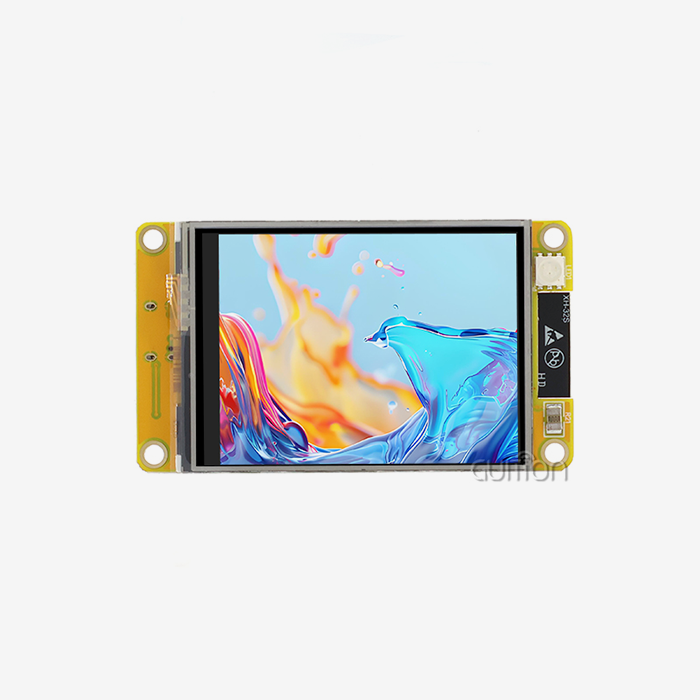
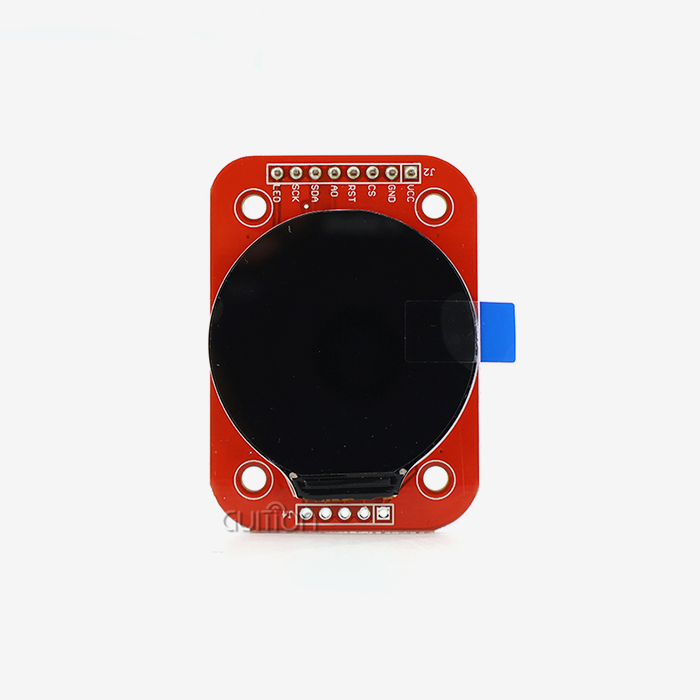
Guition, operated by Jingcai Intelligence, is a technology company focused on human-machine interaction display solutions and USART-ម៉ូឌុលបង្ហាញ hmis. The company's product line spans 1.28 inches to 21.5 inches, covering the full range most equipment manufacturers need from a single supplier relationship.
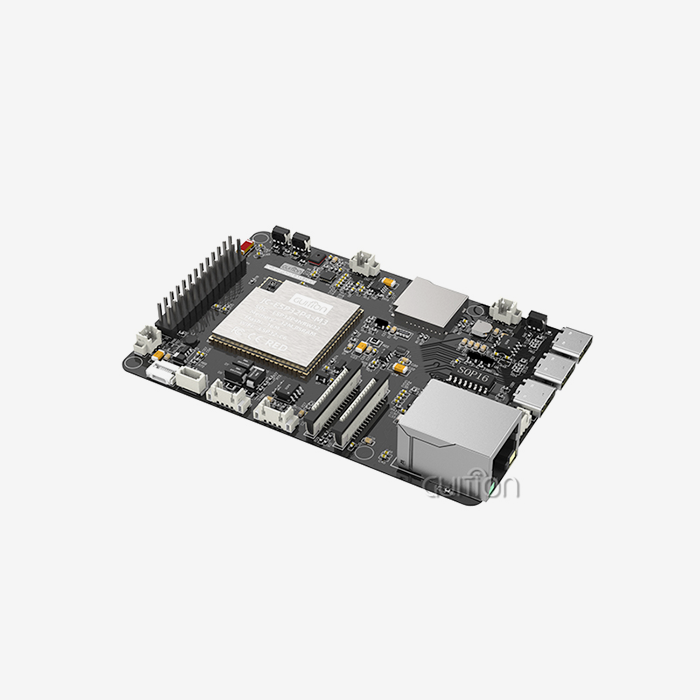
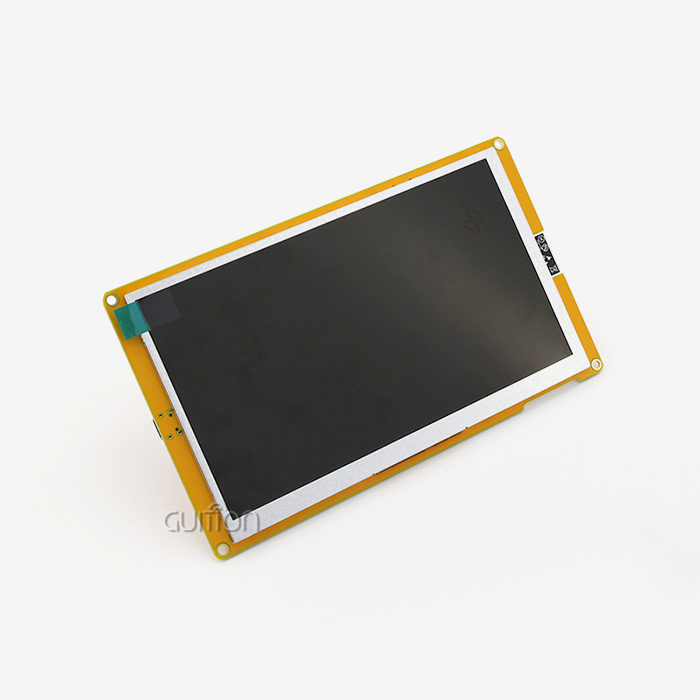
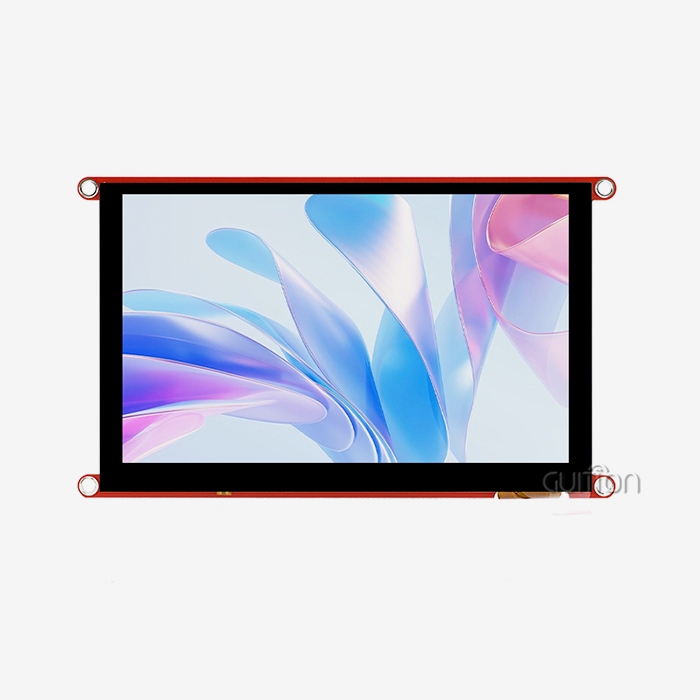
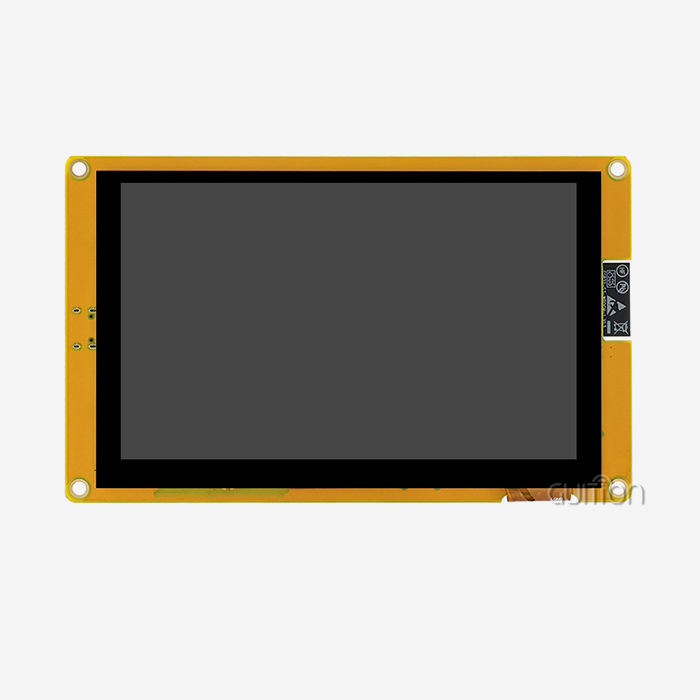
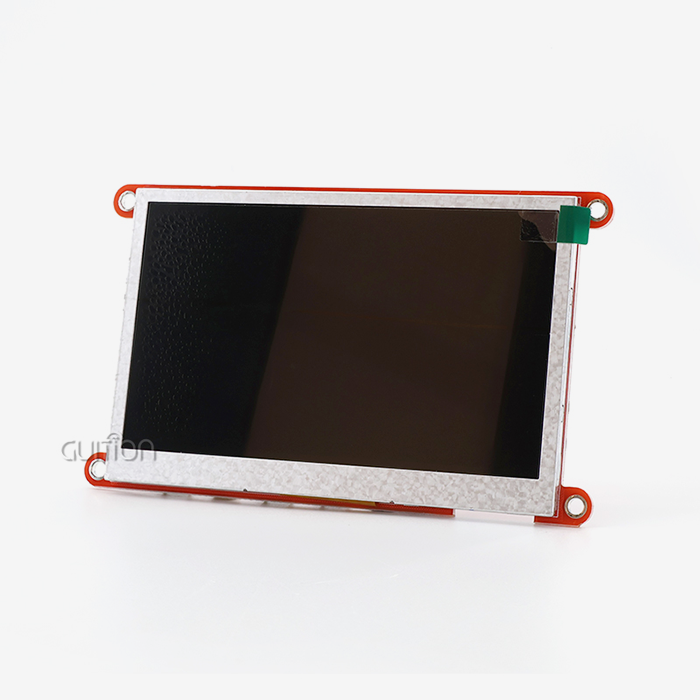
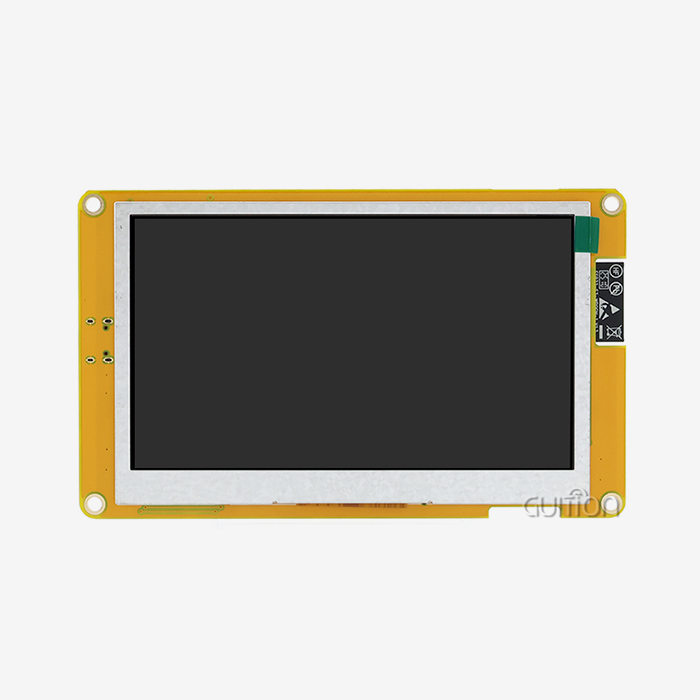
One example from this range is the Guition អេក្រង់រន្ធសៀរៀលទំហំ ១០.១ អ៊ីញ module JC8012P4A1C_I_W_Y, built around the ESP32-P4 dual-core MCU running at up to 360MHz. The module pairs 768KB of HP L2 memory, 32KB of LP SRAM, 128KB of HP ROM, 32MB of PSRAM, and 16MB of flash with an 800×1280 IPS display supporting optional capacitive touch. Built-in WiFi and Bluetooth let you add network connectivity without a separate wireless module, and the reserved TF card interface and IO ports leave room for added storage or sensor connections. The module ships pre-programmed with test code, so teams see working output before writing any application logic.
Guition also developed its own interface design software to remove the traditional development bottleneck many embedded teams face. The software supports drag-and-drop control placement, a built-in library of buttons, sliders, gauges, and charts, cross-platform online debugging, and compatibility with Arduino IDE, ESP-IDF, MicroPython, and Guition's own environment. Remote upgrade support lets you push firmware updates to deployed units without a site visit, which matters for distributed installations like agricultural sensors or vending equipment spread across multiple locations. UTF-8 encoding support covers multi-language interface needs for brands shipping into different regions.
Procurement, Compliance and Quality Verification
Procurement decisions should be based on written terms – not assumptions. Check MOQ for standard and custom models, sample availability and charges, engineering and tooling charges, lead time for prototype and mass production, payment terms, warranty period, RMA process, packaging policy, and applicable Incoterms such as EXW, FOB, or DAP.
Regulations and rules vary by product category and destination market. CE marking can include EMC, electrical safety, and RoHS compliance under applicable EU legislation. RoHS restricts hazardous substances in relevant electrical products under Directive 2011/65/EU. REACH governs chemical substance disclosure duties under Regulation (EC) No. 1907/2006 for relevant supply chains. EMC testing should evaluate both emissions and immunity in the final equipment configuration. FDA regulation applies only when the display becomes part of a regulated medical device, following FDA medical device guidance. ISO 9001 certification indicates a documented quality-management system but does not by itself certify product performance.
Before approving mass production, request a datasheet and approved technical specification, mechanical drawing and connector pinout, firmware and protocol manual, sample inspection report, LCD and touch test results, environmental and EMC evidence where applicable, RoHS and REACH declarations, first-article inspection report, and serial-number traceability records.
សន្និដ្ឋាន
A អេក្រង់រន្ធសៀរៀលទំហំ ១០.១ អ៊ីញ gives equipment manufacturers an integrated display, touch interface, and controller connection through UART, TTL, RS232, or RS485 without forcing a full graphics processor onto the host board. Choose your interface based on electrical levels, distance, and controller compatibility. Confirm resolution, brightness, touch method, temperature range, and mounting against your actual operating environment. Test the entire system as one unit, not as separate pieces, including firmware, cables, and enclosure. Base supplier selection on documented testing, lifecycle planning, and verifiable compliance records, not just brand claims.
សំណួរដែលត្រូវបានសួរជាញឹកញាប់
តើអេក្រង់រន្ធសៀរៀលទំហំ 10.1 អ៊ីញជាអ្វី?
A 10.1-inch serial port screen is a display module that communicates with an external controller through UART, TTL, RS232, or RS485. It often has an integrated touchscreen and internal UI processing firmware that takes the rendering load off your main controller.
What resolution does a 10.1-inch serial LCD screen usually have?
A common resolution is 1280 × 800 pixels, though other resolutions exist depending on the model. The right choice depends on UI complexity, viewing distance, controller memory, and how much image detail your operators actually need.
How do you connect a 10.1-inch serial port display?
Confirm the voltage rating, connect power and ground correctly, match the electrical interface, and connect transmit and receive lines in the proper order. Then configure baud rate, parity, data bits, and stop bits to match your display's command protocol.
What is the difference between a 10.1-inch RS232 display and an RS485 display?
RS232 generally handles point-to-point communication over shorter distances, while RS485 uses differential signaling suited to longer cables and multi-device networks. The two interfaces are not directly interchangeable without the correct transceiver hardware.
Is a capacitive or resistive touchscreen better for industrial equipment?
Capacitive touch gives a smoother interface and often supports gestures, while resistive touch works better with gloves, tools, or deliberate single-point presses. Base the decision on contaminant exposure, operator habits, and cleaning requirements in your actual installation environment.
What power supply does a 10.1-inch serial display need?
Required voltage depends on the specific model, commonly 5VDC or 12VDC. Always verify rated voltage, maximum current, startup current, connector polarity, and allowable ripple against the approved datasheet before finalizing your power design.
What documents should a supplier provide before production approval?
At minimum, request a datasheet, mechanical drawing, pinout, communication protocol manual, firmware revision record, inspection reports, warranty terms, and applicable compliance declarations such as RoHS or REACH documentation for your target market.
Get a Specification and Quote for Your Next HMI Project
If you are evaluating a 10.1-inch Serial Port Screen for an industrial control panel, smart home device, or medical monitoring unit, Guition can supply a model matched to your interface, touch, and firmware needs. As a direct manufacturer and supplier of serial LCD modules, we provide datasheets, sample units, and protocol documentation before you commit to volume production. Email david@guition.com with your voltage, interface, and mounting requirements, and our team will respond with a specification sheet and lead-time estimate within one business day.
ឯកសារយោង
1. International Electrotechnical Commission. IEC 61000-4-2:2008 — Electromagnetic Compatibility (EMC), Electrostatic Discharge Immunity Test, 2008. Cited in the Reliability, Testing and Service Life section.
2. International Organization for Standardization. ISO 9001:2015 — Quality Management Systems — Requirements, 2015. Cited in the Procurement, Compliance and Quality Verification section.
3. European Union. Directive 2011/65/EU on the Restriction of the Use of Certain Hazardous Substances in Electrical and Electronic Equipment (RoHS), 2011. Cited in the Procurement, Compliance and Quality Verification section.
4. European Chemicals Agency. REACH Regulation (EC) No. 1907/2006, 2006. Cited in the Procurement, Compliance and Quality Verification section.
5. U.S. Food and Drug Administration. Overview of Device Regulation, 2024. Cited in the Procurement, Compliance and Quality Verification section.
6. Telecommunications Industry Association. TIA-485-A — Electrical Characteristics of Generators and Receivers for Use in Balanced Digital Multipoint Systems, 1998. Cited in the RS232 and RS485 Electrical Interfaces section.
អំពីអ្នកនិពន្ធ
David is the CEO of Guition, the HMI display division of Jingcai Intelligence. He has spent more than ten years working directly with embedded engineers and R&D managers on serial display integration, firmware protocol design, and OEM customization projects spanning industrial, medical, and smart home equipment across North America, Europe, and Asia. David leads product development for Guition's 1.28-inch to 21.5-inch display range and its in-house UI development software.
ស្វែងយល់អំពីផលិតផលចុងក្រោយបំផុត និងការបញ្ចុះតម្លៃរបស់យើងតាមរយៈសារ SMS ឬអ៊ីមែល