- እንግሊዝኛ
- ፈረንሳይኛ
- ጀርመንኛ
- ፖርቹጋልኛ
- ስፓኒሽ
- ራሽያኛ
- ጃፓንኛ
- ኮሪያኛ
- አረብኛ
- ግሪክኛ
- ጀርመንኛ
- ቱርክኛ
- የጣሊያን
- ዳኒሽ
- የሮማኒያ
- የኢንዶኔዥያ
- ቼክኛ
- አፍሪካንስ
- ስዊድንኛ
- ጠረገ
- ባስክኛ
- ካታላን
- ኤስፐራንቶኛ
- ሂንዲ
- ላኦ
- የአልባኒያ
- አማርኛ
- የአርሜኒያ
- አዘርባጃኒን
- ቤላሩሲያን
- ቤንጋሊ
- ቦስኒያኛ
- ቡልጋሪያኛ
- ሴብዋኖ
- ቺቼዋ
- ኮርሲካን
- ክሮኤሽያን
- ደች
- ኤስቶኒያኛ
- የፊሊፒንስ
- የፊንላንድ
- ፍሪስኛ
- ጋለጋኛ
- የጆርጂያ
- ጉጃራቲኛ
- የሄይቲ
- ሐውሳ
- የሃዋይ
- የዕብራይስጥ
- የህሞንግ
- ሀንጋሪኛ
- አይስላንድኛ
- ኢግቦኛ
- ጃቫንኛ
- ካናዳኛ
- ካዛክኛ
- ክመርኛ
- ኩርድኛ
- ኪርጊዝኛ
- ላቲን
- ላትቪያኛ
- ሊቱኒያን
- ሉክሰምቡ
- የመቄዶንያ
- የማለጋሲ
- ማላይ
- ማላያላምኛ
- የማልታ
- ማወሪኛ
- ማራዚኛ
- የሞንጎሊያ
- በርሚስ
- ኔፓሊኛ
- የኖርዌይ
- ፓሽቶ
- የፋርስ
- ፑንጃቢ
- ሰሪቢያን
- ሴሶቶኛ
- ሲንሃላ
- ስሎቫክኛ
- ስሎቪኛ
- ሶማሌ
- ሳሞአን
- እስኮትስ ጌልክኛ
- ሾና
- ሲንድሂ
- ሱዳንኛ
- ስዋሂሊ
- ታጂክኛ
- ታሚልኛ
- ቴሉጉኛ
- ታይኛ
- ዩክሬንኛ
- ኡርዱኛ
- ኡዝበክኛ
- ቪየትናምኛ
- የዌልስ
- እንቆጻ
- ዪዲሽ
- ዮሩባ
- ዙሉኛ
Best 4 inch ESP32S3 display module for Industrial HMIs
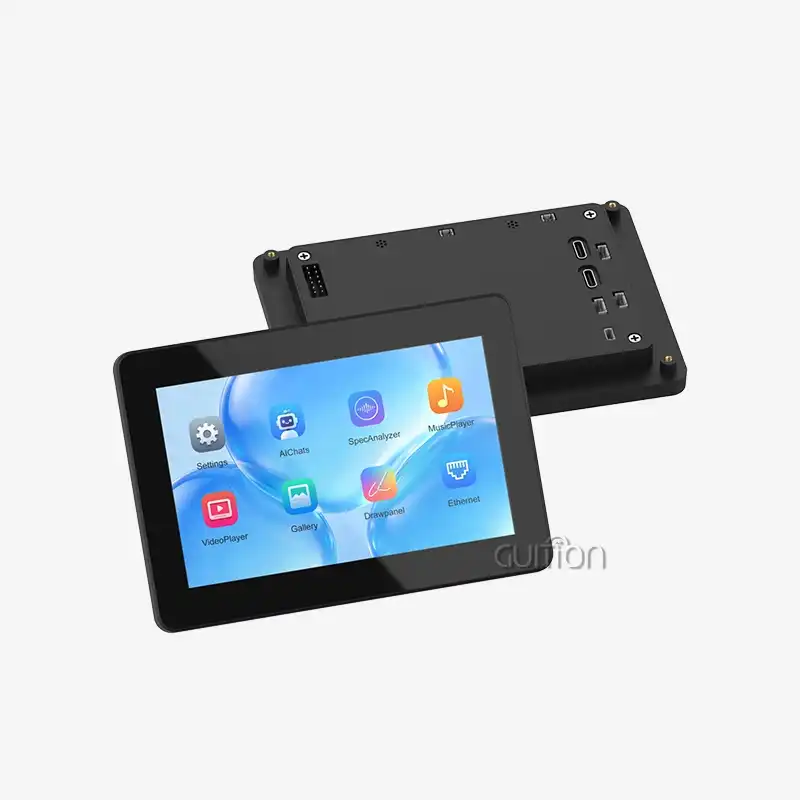
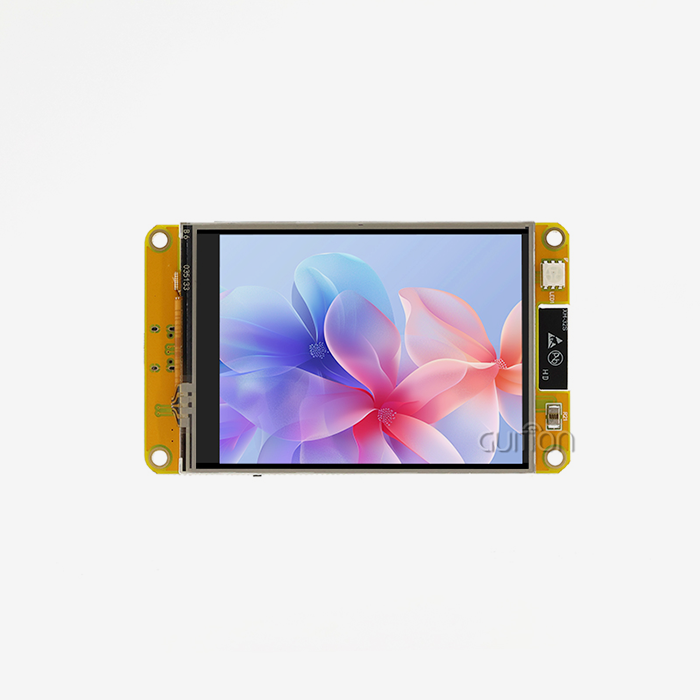
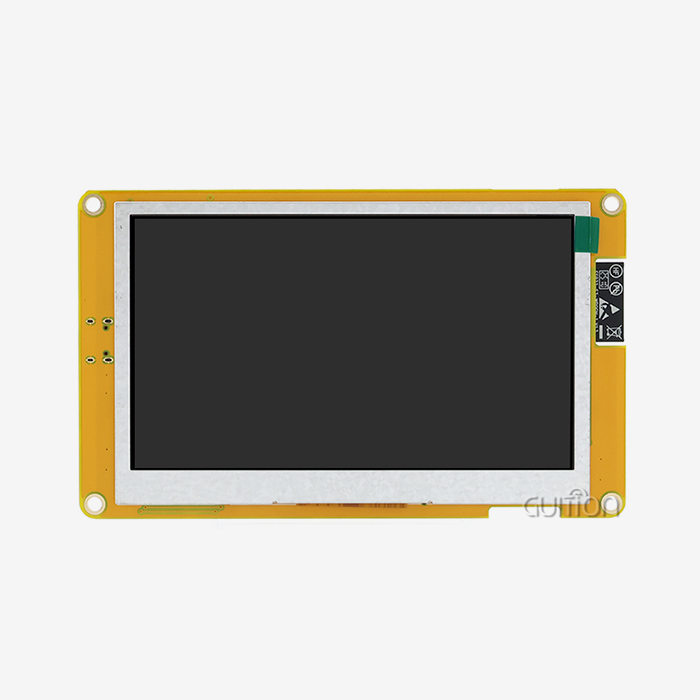
ከሁሉም ምርጥ 4 ኢንች ESP32S3 የማሳያ ሞዱል for industrial HMIs is the Guition ESP32-4848S040C_I. It pairs an ESP32-S3R8 dual-core MCU running up to 240MHz with 8MB PSRAM, 16MB flash, a 480×480 IPS display, and capacitive touch. Built-in Wi-Fi and Bluetooth support connected panels, while a TF card interface and IO ports allow expansion. Your team can program it in Arduino IDE, ESP-IDF, MicroPython, or the Guition platform. In this guide, I explain what to check in a 4 inch ESP32S3 display module, how to compare options, and how to prepare a clear inquiry.

I wrote this for embedded engineers, product managers, and technical founders who need a compact HMI that reaches production without a long debugging cycle. Buyers in the United States often compare many modules before they request samples. So I focus on the specifications, software, and supplier checks that affect real projects.
4 Inch ESP32S3 Display Module Specifications to Check
Processor, Memory, and Wireless Support
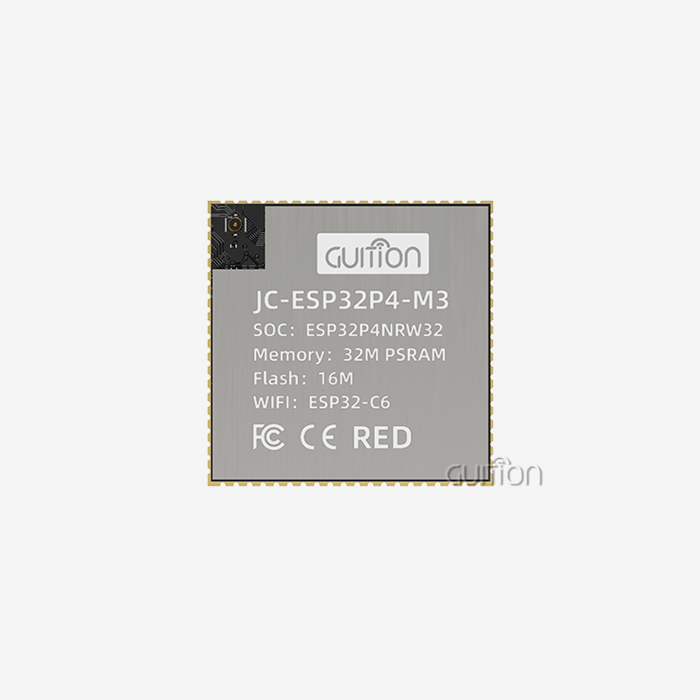
The Guition ESP32-4848S040C_I is mainly controlled by an ESP32-S3R8 module. It has two cores and can run up to 240MHz with 512KB SRAM, 384KB ROM, 8MB PSRAM and 16MB flash. Espressif's ESP32-S3 series has Wi-Fi 802.11 b/g/n and Bluetooth 5 (LE), so it can connect to a network or pair with nearby devices without the need for an extra radio.
Be a close reader of memory. A 16 bit picture buffer takes 460,800 bytes to store a 480x480 screen. The 512KB SRAM is used mostly for that but also for software and wireless tasks. There are 921600 bytes in a double buffer. The 4 inch ESP32-S3 display module has 8MB PSRAM to store buffers, fonts and images.
የማሳያ እና የንክኪ ዝርዝሮች
The screen is an IPS 480x480 panel with sensitive touch. It can handle 16-bit RGB colour, which is the same as 65K of colours. The 1:1 pixel scheme works well when gauges, status tiles, and settings pages are stacked close together. IPS panels are noted for their wide viewing angles, which is good for people reading the screen from the side of a machine.
When tapping or swiping, many people find that capacitive touch works better with gloves than resistive touch. Product information doesn't mention brightness, anti-glare treatment, or how well the gloves work. I think you should ask Guition to check those numbers in the datasheet and then try a sample with the lights you have at home.
Expansion, Power, and Documentation
The module is provided with an IO port interface, touch control circuit, TF card interface and lighting control circuit. The TF card slot can store logs, pictures, or language files. The IO ports can be fitted with sensors, relays and other add-ons.
4 inch ESP32-S3 display module There should be a pinout, schematic, mechanical drawing and power numbers for the idle, active and Wi-Fi send states. Much of the screen’s power is consumed by the backlight, so test it at the brightness level you desire. Clear papers allow your team to detect GPIO problems early, before they become a system-wide problem.
Industrial HMI Features That Matter in a 4 Inch ESP32S3 Display Module
Readability and Touch on the Factory Floor
Screens are read at different angles. Bright lights are above. Sometimes gloves are worn. So when I judge a module, I don't just look at how fast the processor is, but also how well it works in practice. Test the calibration on a real example for brightness, anti-glare treatment, viewing angle and stability.
The ESP32-4848S040C_I has capacitive touch for fast tap and swipe. Still, try it out with your hard hat on and water or dust on the cover glass. Before the pilot run, a script runs for several hours, repeatedly going through your main screens and checking for touch drift and flicker.
Durability and Enclosure Fit
An industrial HMI has to withstand temperature changes, vibration, static electricity and electrical noise. I don’t have any product information with an IP rating or temperature range it can work in. Before you commit, ask Guition for those values and the test results.
The IEC 60529 standard says that an IP rating is based on the final enclosure, gasket and cover glass, not just the module. Refer also to your housing drawing for mounting dimensions, connector locations and cable routing. Redesigns are often late because of minor technical problems, and checking the drawings is a lot less expensive than buying a new tool.
Integrated Module or Separate Boards
If you have an ESP32-S3 board and a display of your own, you have some options when you're just prototyping. It also adds more places for things to go wrong. Like wires and frames. This is a 4 inch ESP32-S3 display module that integrates the controller, screen, touch circuit and backlight circuit. This reduces setup time and the amount of difference between builds from one unit to another.
The ESP32-S3 is a dual-core Xtensa LX7 system with an LCD interface and octal PSRAM support, so it’s a good choice for panels with a lot of graphics, says Espressif. Only use separate boards if you want a different screen size or a different layout of pins.
Software and Programming Support for a 4 Inch ESP32S3 Display Module
Arduino IDE, ESP-IDF, and MicroPython
The module can be programmed with the Guition platform, the Arduino IDE, ESP-IDF and MicroPython. That range will accommodate a lot of team habits. The Arduino IDE can create simple control screens and samples very quickly. The main development environment for Espressif is ESP-IDF, which allows you to fine-tune tasks, memory and power for final software. MicroPython is great for quick tests and for teams that love Python.
Request examples of how you can use this model. They should discuss setting up the monitor, touch drivers, pin definitions, and lighting control. This way your engineers won’t have to guess what code to begin with.
Guidance UI Tool for Faster Screen Design
Guition wrote its own software for its interface so it could make screens without a lot of low-level programming. You can move, resize, and re-style a control as soon as you click Add Control. The layout you see on your canvas is what appears on the device. You can send the completed project to the module with one click. This saves time when you have to test it over and over.
This approach allows HMI designers to change layouts directly in a 4 inch ESP32-S3 display module, reducing calls to firmware engineers. There are also test programs on the module when you get it, so you can power it up and test the screen and touch before writing any code.
Online Debugging, Remote Upgrade, and Languages
The Guition platform is available for cross-platform debugging online. This means teams find problems faster, and they're cheaper to fix. Plus, it enables you to upgrade user projects remotely, so you can fix a product that’s already been shipped without having to go to the site. This reduces post-sales costs. If a single product is shipped to multiple regions, multi-language switching is helpful.
Discuss with Guition how these features work with the development environment you have chosen. Remote updates also need version control and a backup plan, so make sure you have those in place before you send units out to customers.
Industrial HMI Application Scenarios for a 4 Inch ESP32S3 Display Module
Control Panels and Monitoring Screens
The main use for this type is in industrial robotics. Process controllers, monitoring systems, and control panels are all covered. Machine state, warnings, counters, temperatures, and setpoints can be shown in clear blocks on a 4 inch ESP32-S3 display module. With a touch, users can change values or begin a cycle.
If your machine talks to PLCs, sensors, or motor controllers, check out what interfaces the IO ports offer and what protocols your firmware supports. CAN, Modbus, or RS485 – I wouldn't call plug and play. Look at the pin map and example code first.
Smart Home, Medical, and Commercial Devices
The same hardware can be used for thermostats, security and home control connections. The Guition list also includes commercial kitchen controls, payment terminals, information kiosks and patient monitors, diagnostic devices and therapy equipment. Other uses mentioned are 3D printer interfaces, charging interfaces and recording equipment controls.
Medical devices are just one type of regulatory product that requires its own safety checks and work to make sure it follows the rules. That approval doesn't come from a display module. Use the module for UI development and prototypes. Then, check with your compliance team to make sure it meets your needs.
ግንኙነት እና ከመስመር ውጭ አሠራር
Built-in Wi-Fi and Bluetooth let you watch from afar, connect your phone and use cloud apps. These links work for things that are far away from a control room. But the network going down should not stop a computer from doing its main tasks. Have the software display the state locally, save events to the TF card, then sync it all later.
Also, make sure the wifi link is secure. In Espressif's ESP32-S3 documentation, we can read about secure boot and flash encryption. When you get a 4 inch ESP32-S3 display module out in the field, ask Guition how to configure it.
Selecting a 4 Inch ESP32S3 Display Module and Supplier
ደረጃ በደረጃ የመምረጥ ሂደት
Before you buy a 4 inch ESP32-S3 display module, you should consider the lighting, the use of gloves, the temperature and the housing. Then you choose what you need: screen, touch, memory, interface, power and mechanics. Ensure that there is enough memory for logs, fonts, images and frame buffers.
Make sure to check out the software documentation and support before ordering samples. Finally, test the samples for how they work over time, how much power they use, how hot they get, how well the case fits, and how well the touch screen works. First, write down the pass requirements. This way every engineer will evaluate the sample the same way.
የተለመዱ የግዢ ስህተቶች
People do a lot of harm when they just compare screen sizes or processor names. The working area, the size of the border, and how it fits on the wall are not shown in a 4-inch nominal panel. Flash, PSRAM, USB, boot pins, display, touch, and TF card can all go wrong at the same time. Costs of power do not always include backlighting and wireless communication. Many teams also consider a development board to be production-ready without checking EMC, test access, or supply continuity.
You can't make mistakes like this with a weighted grid. The simple split at the start gives 20% to the processor, 20% to the interfaces and 20% to the display and Touch. The other 60% is about stuff like software, durability, mechanics, customisation and business terms. Change the weights to your liking.
Supplier and Manufacturer Checklist
You should look for a technology partner that can provide 4 inch ESP32-S3 display modules. Ask about samples, customisation, firmware support, documentation, production testing, defect handling and the ability to track down and fix problems. Get quotes for shipping, guarantee, engineering fees, tooling, samples, and price per unit. Please take note of the MOQ, lead time and Incoterms.
Guition is a brainchild of Jingcai Intelligence, which is in charge of its development, production and sales. The company offers displays and USART-HMI modules in a wide range of sizes from 1.28" to 21.5", enabling the use of a single software tool for future products with different screen sizes. Make sure that before you turn the module to product, it is possible to get it on long-term terms.
መደምደሚያ
When picking an industrial HMI display, you need to look at the whole panel, not just the screen size. There is an ESP32-S3R8 dual-core MCU, 8MB PSRAM, 16MB flash, Wi-Fi, Bluetooth, a 480x480 IPS display, capacitive touch, a TF card interface, and IO ports on the Guition ESP32-4848S040C_I 4 ኢንች ESP32S3 የማሳያ ሞዱል. For 480x480 images, PSRAM is important because of the math behind memory. Development is sped up by support for the Arduino IDE, ESP-IDF, MicroPython, and the Guition platform, as well as drag-and-drop design, online testing, and remote updates. Hardware like control panels, monitoring screens, smart home devices, and business terminals can be used. Brightness, temperature range, and IP protection are some of the values that still need to be confirmed through datasheets and sample tests. Integration risk is lower when there is an organised selection process, a weighted matrix, and a careful study of the provider.
በየጥ
Q: What comes with a 4 inch ESP32S3 display module?
A: An ESP32-S3R8 controller, a 480x480 IPS display, capacitive touch, backlight control, touch control, a TF card interface, and IO ports are all part of the Guition ESP32-4848S040C_I.
Q: Which software can I use for development?
A: In addition to the Guition platform, you can also use the Arduino IDE and ESP-IDF. Before you start writing code, ask for examples of how this model can be used.
Q: Is the module ready for industrial use?
A: Use it as a good place to begin. Check the temperature range, IP protection, EMC, and supply terms with Guition. Then, put samples inside your cage and try them.
Q: Can I customise the firmware or interface?
A: Guition gives technical documents and secondary development interfaces. Send your needs to the team for help with your specific application.
Request a 4 Inch ESP32S3 Display Module From Guition
As a maker of 4 inch ESP32S3 display modules that work with Arduino, ESP-IDF, and the Guition tool, Guition is ready to help you with your next HMI project. If you email david@guition.com with your application, volume, touch needs, and schedule, our team will send you a datasheet and a sample recommendation. Check out the products at https://jingcaizhineng.aixdb.cn/ and then ask for a quote today.
ማጣቀሻዎች
1. የኤስፕሬሲፍ ሲስተምስ፣ የESP32-S3 ተከታታይ የመረጃ ሉህ፣ 2023
2. የኤስፕሬሲፍ ሲስተምስ፣ የESP32-S3 የቴክኒካል ማጣቀሻ መመሪያ፣ 2023
3. የኤስፕሬሲፍ ሲስተምስ፣ የESP-IDF ፕሮግራሚንግ መመሪያ፣ 2024
4. የኤስፕሬሲፍ ሲስተምስ፣ የአርዱኢኖ-ኢኤስፒ32 ዶክመንቴሽን፣ 2024
5. ማይክሮፓይተን፣ ማይክሮፓይተን ዶክመንቴሽን፣ 2024
6. ዓለም አቀፍ የኤሌክትሮቴክኒክ ኮሚሽን፣ IEC 60529፡ በኢንክሪፕሽን የሚሰጡ የመከላከያ ደረጃዎች (የአይፒ ኮድ)፣ 2013
በኤስኤምኤስ ወይም በኢሜል ስለእኛ የቅርብ ጊዜ ምርቶች እና ቅናሾች ይወቁ